On this page
Everything you need to install, operate, and administer Roundhouse — from docker compose up to a fleet of deployed MCP servers.
Getting started#
Roundhouse runs entirely on your own hardware. The only requirements are Docker and Docker Compose — there is no cloud dependency, no external service to sign up for, and no telemetry.
Install#
Roundhouse runs from a published image — no clone, no build. Download the single-host Compose file and bring it up:
curl -O https://raw.githubusercontent.com/Karmatek-Consulting-LLC/roundhouse/main/docker-compose.yml
docker compose up -d
docker compose logs -f platform-api   # watch for "Application startup complete", then Ctrl-C
Once the logs print Application startup complete, the platform is live at http://localhost:3080.
(Building from source instead? Clone the repo and use docker-compose.dev.yml, which builds the image and hot-reloads the api/ and frontend/ source.)
To stop the platform:
docker compose down        # preserve database + spec files
docker compose down -v     # wipe everything
Sign in#
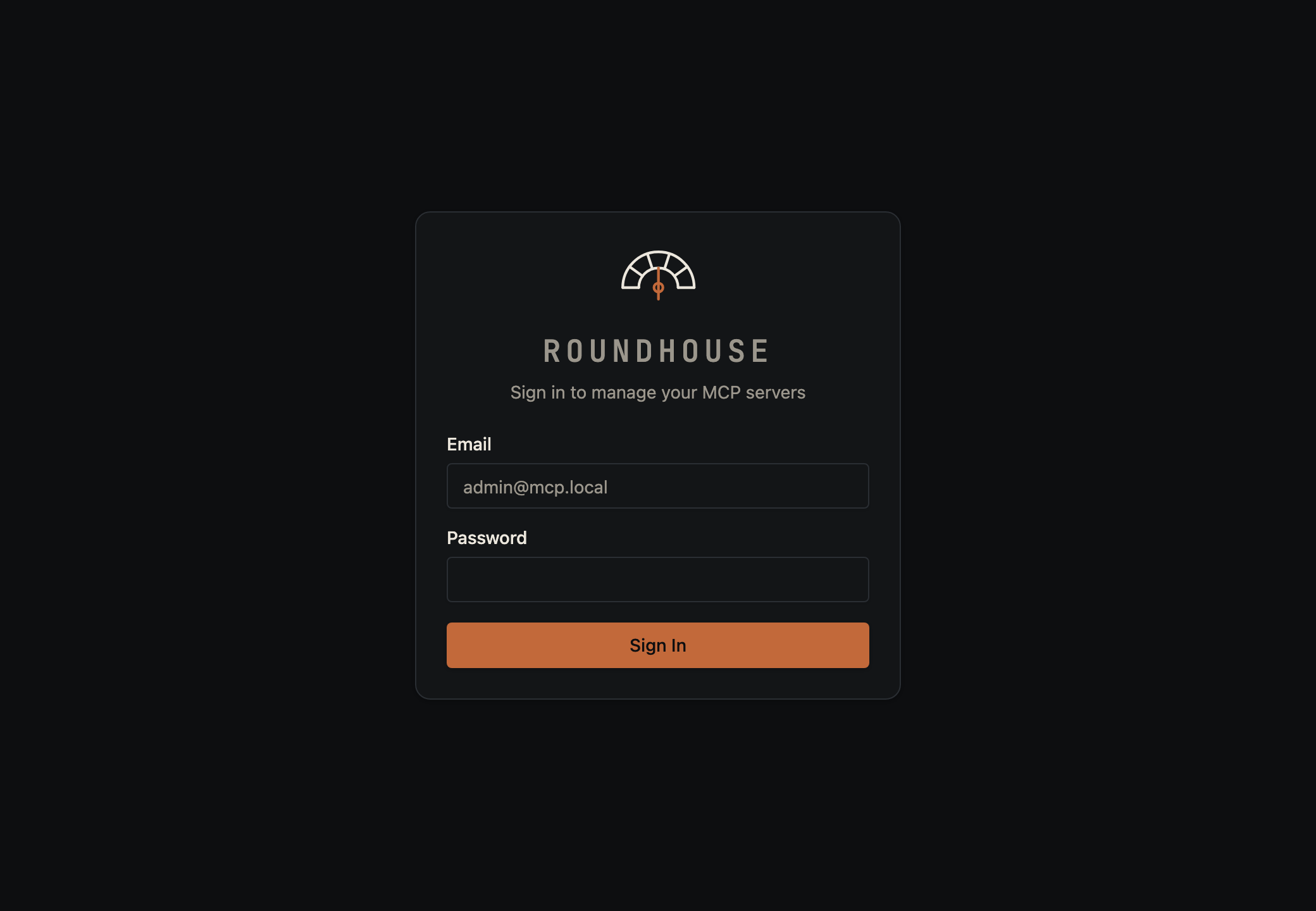
Roundhouse uses email/password sign-in. The first admin is created from the ADMIN_EMAIL and ADMIN_PASSWORD environment variables when the API boots (defaults: admin@mcp.local / admin — override them in your environment before first boot, or change them from the Users page after).
Connecting clients#
Every deployed server gets a stable URL like http://localhost:3080/s/my-server/mcp. Traefik routes MCP clients straight to the spawned container — the platform never proxies MCP traffic on the hot path.
Callers authenticate with a bearer token minted on the server's Auth tab (see Auth below).
Claude Desktop#
Add to claude_desktop_config.json:
{
  "mcpServers": {
    "my-server": {
      "url": "http://localhost:3080/s/my-server/mcp",
      "headers": {
        "Authorization": "Bearer <token from the server's Auth panel>"
      }
    }
  }
}
Claude Code#
claude mcp add my-server \
  --url    http://localhost:3080/s/my-server/mcp \
  --header "Authorization: Bearer <token>"
Any other MCP client that speaks streamable HTTP works the same way: point it at the server URL and pass the token in the Authorization header.
Dashboard#
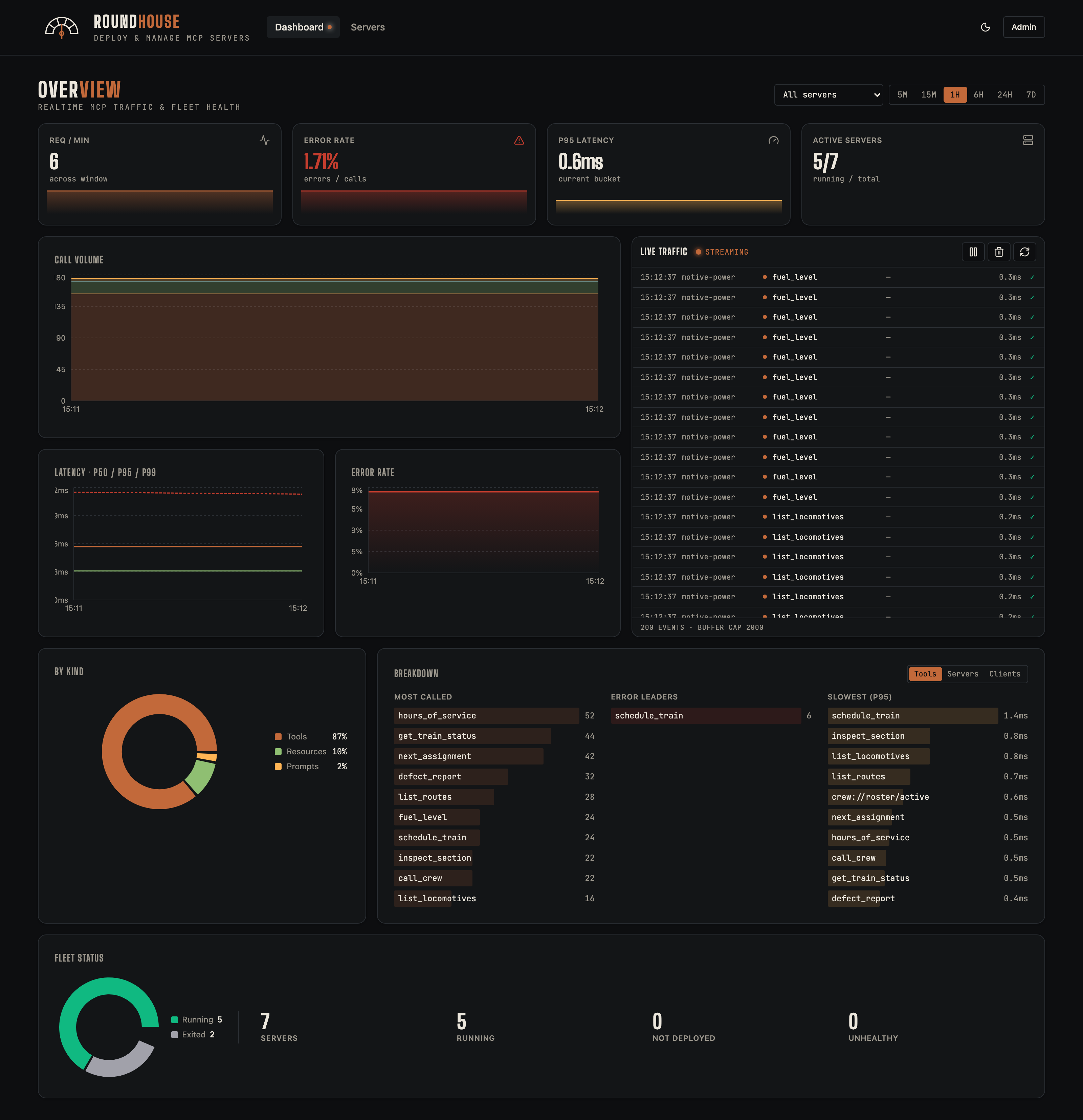
The dashboard is the home view after sign-in. It surfaces fleet-wide health (running/stopped/errored counts), recent call volume, the busiest servers, and a rolling activity timeline.
Servers list#
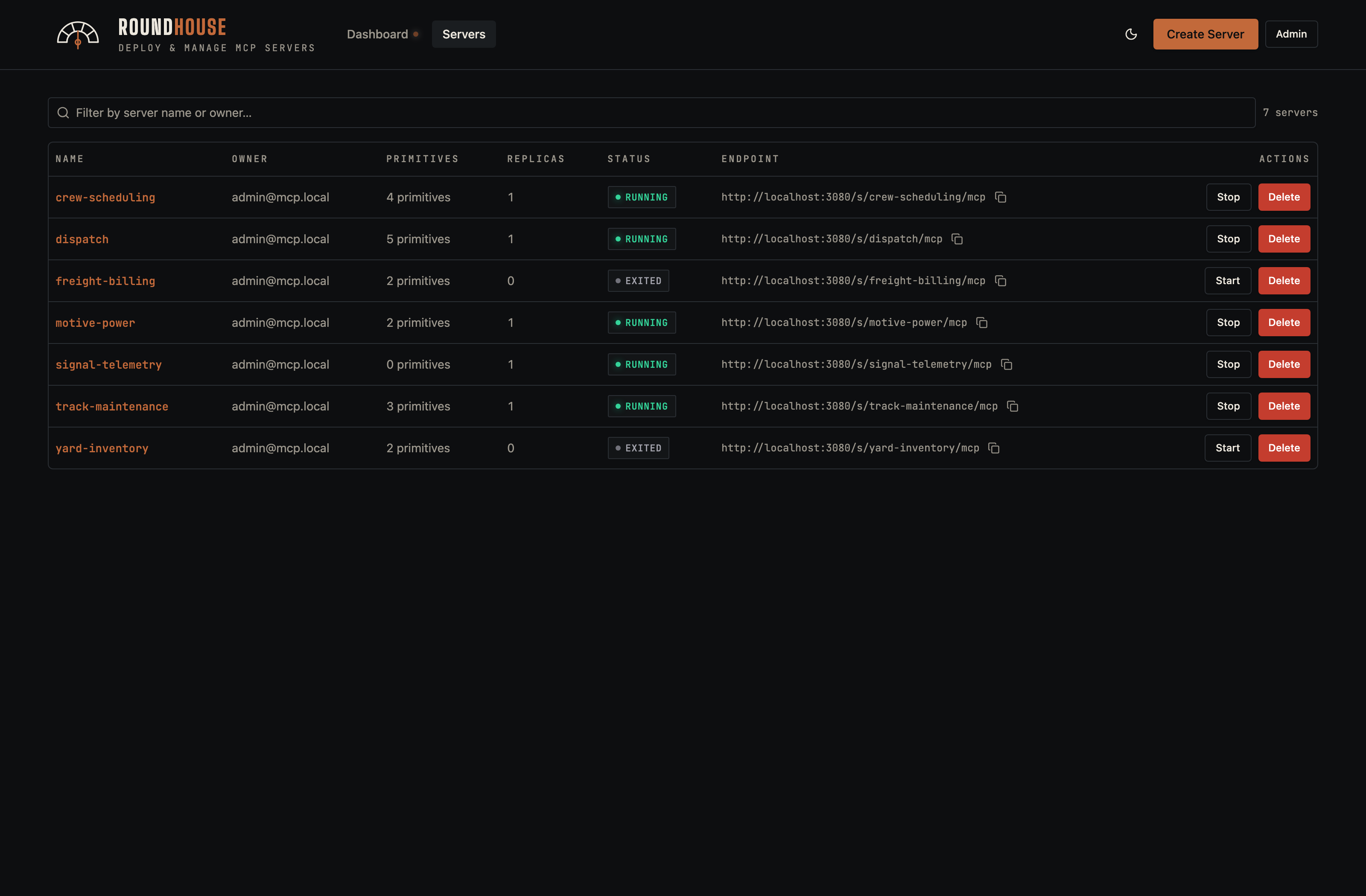
The full inventory of MCP servers you can see. Each row shows the server's deploy mode (structured or code), live status, recent call count, and quick actions.
Creating a server#
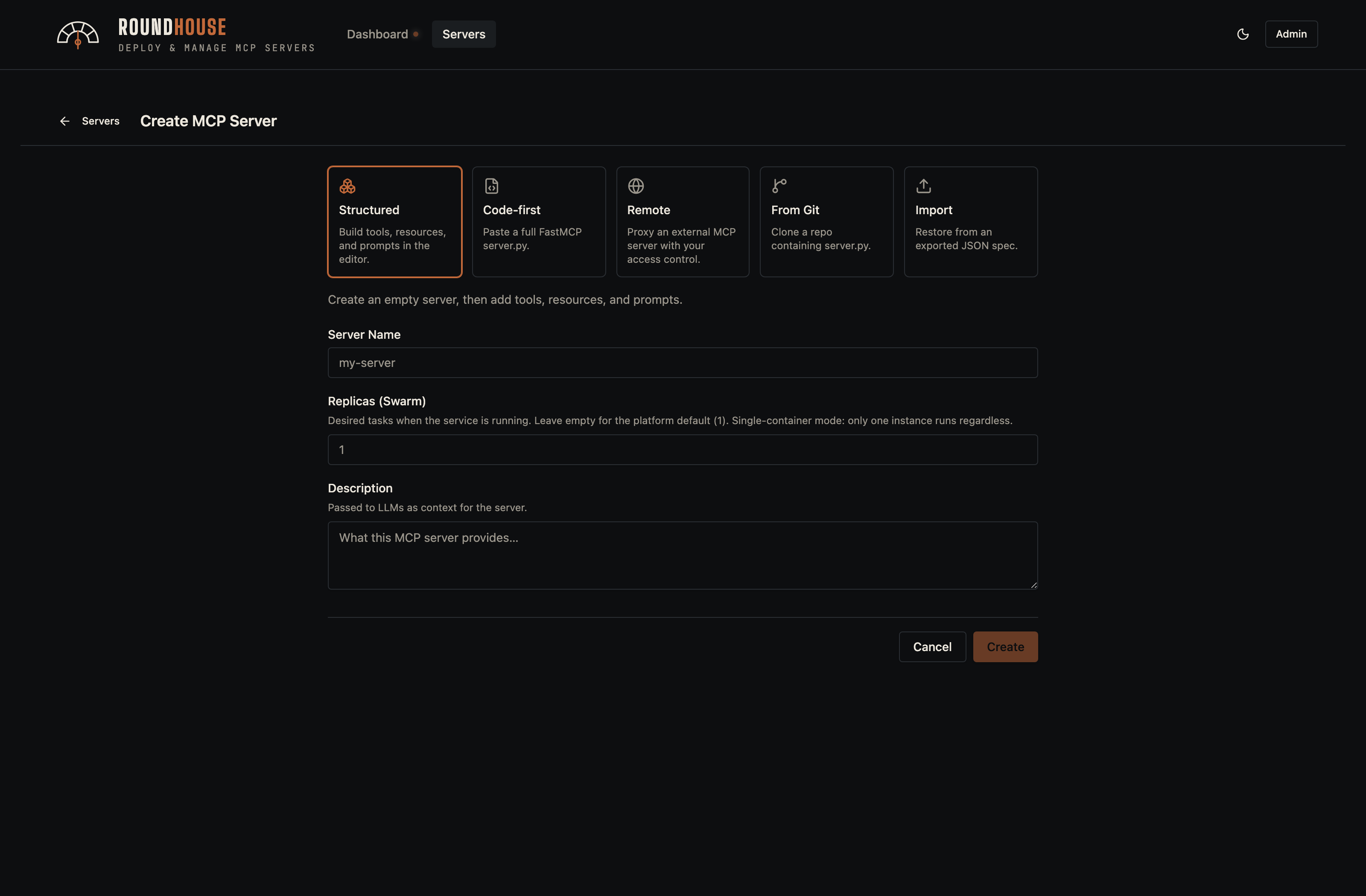
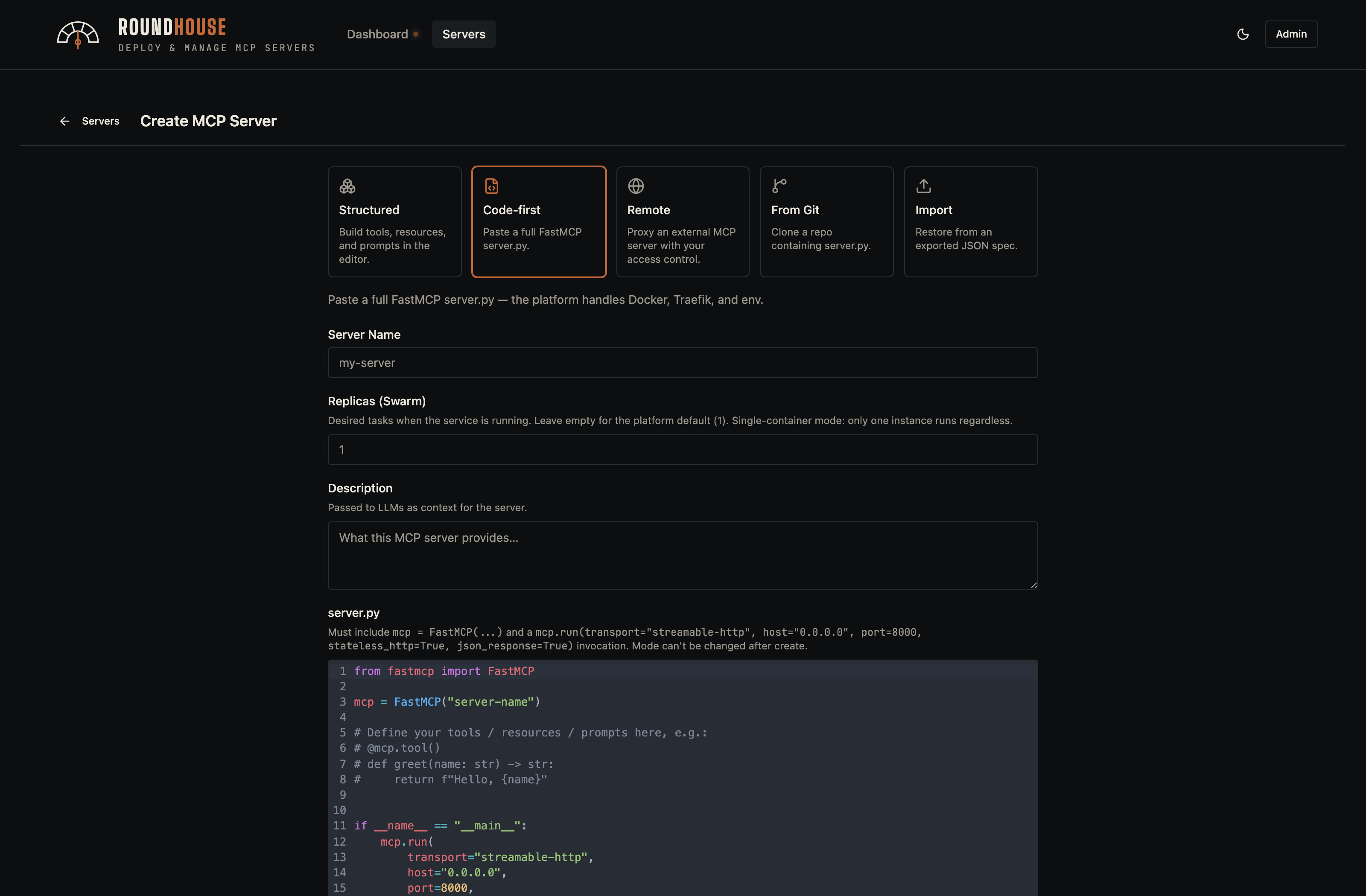
The Create button opens a dialog with a tab for each way a server can be authored.
Structured#
The default: an empty spec-managed server. Primitives, packages, env vars, and middleware are managed through the UI; Roundhouse owns the Dockerfile.
Code-first#
You supply a complete server.py (FastMCP). Roundhouse still owns the Dockerfile and platform middleware, but the primitive surface is hidden in favour of a full source editor.
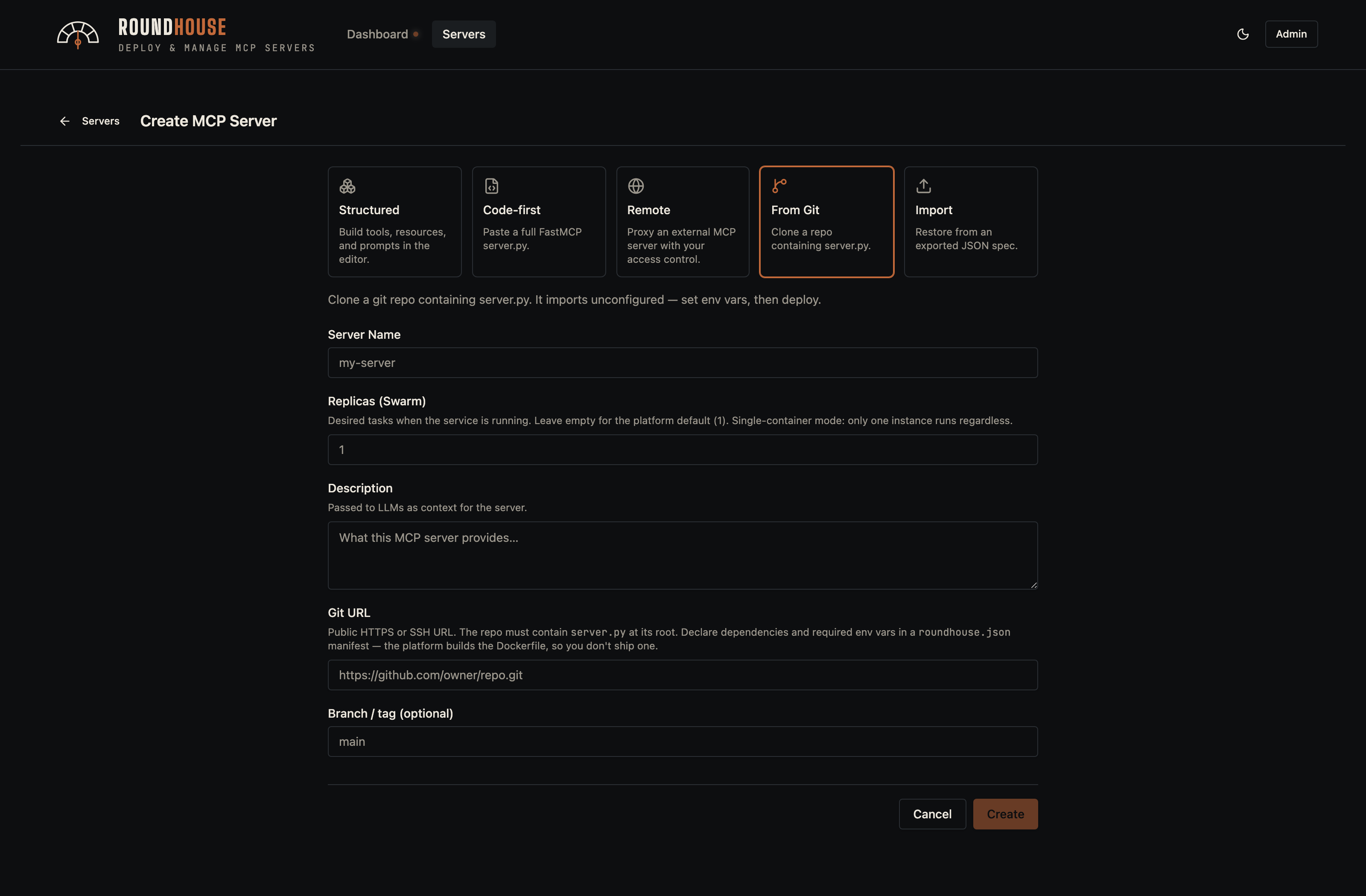
From Git#
Clone a repo that declares its dependencies in roundhouse.json. The imported server registers as not_deployed — Roundhouse seeds the environment variables declared by the manifest, populates pip and apt packages, and waits for an operator to fill in secrets before the first deploy.
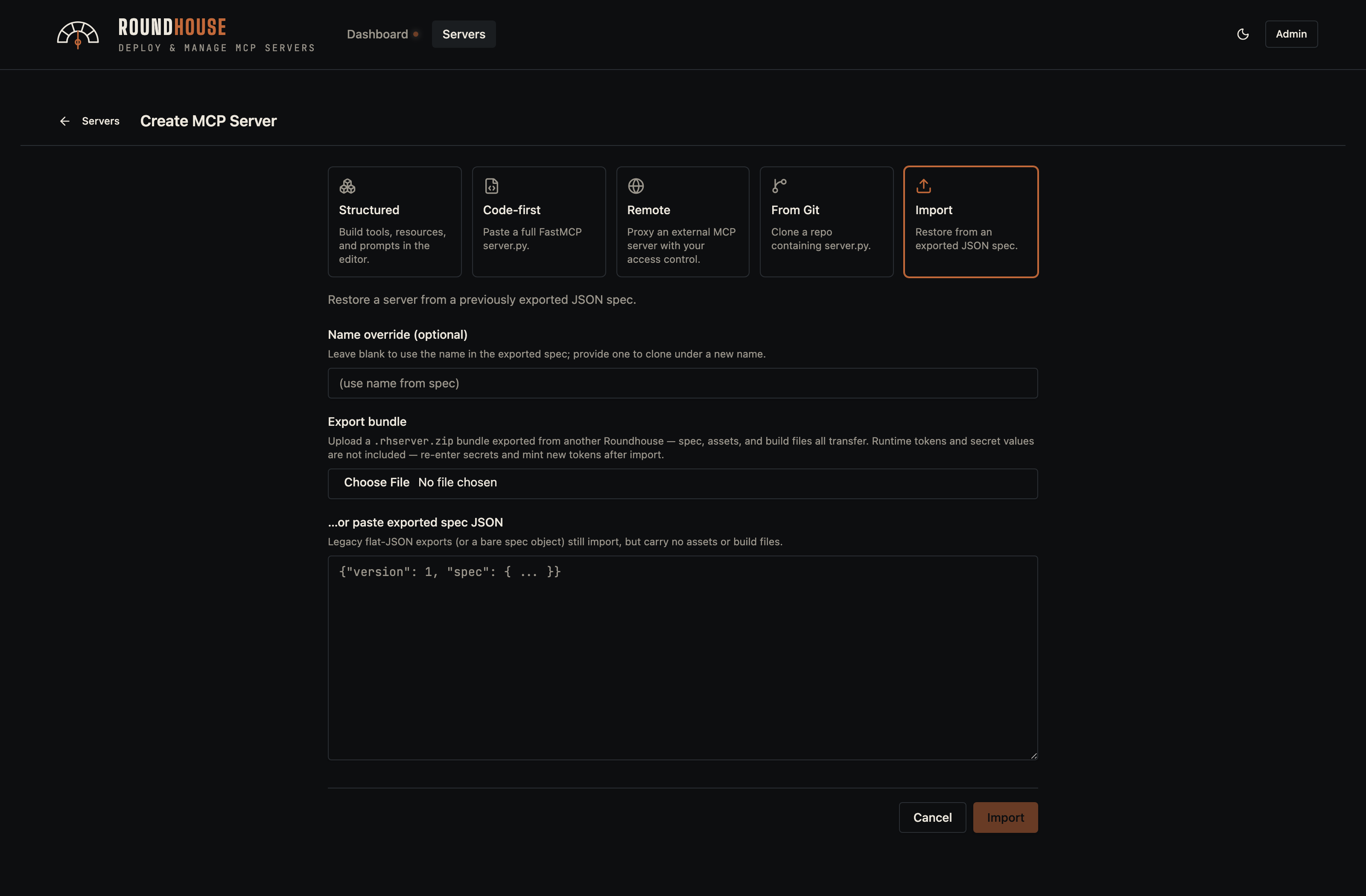
Import#
Upload a .rhserver.zip bundle exported from another Roundhouse instance (the Export button in the server editor, or GET /api/servers/{name}/export) to clone a server verbatim — spec, uploaded assets, and git/template build files all transfer. Secret env values and runtime tokens are deliberately not included: re-enter secrets and mint new tokens after import. Legacy flat-JSON exports still import by pasting the JSON, but carry no assets or build files.
The server editor#
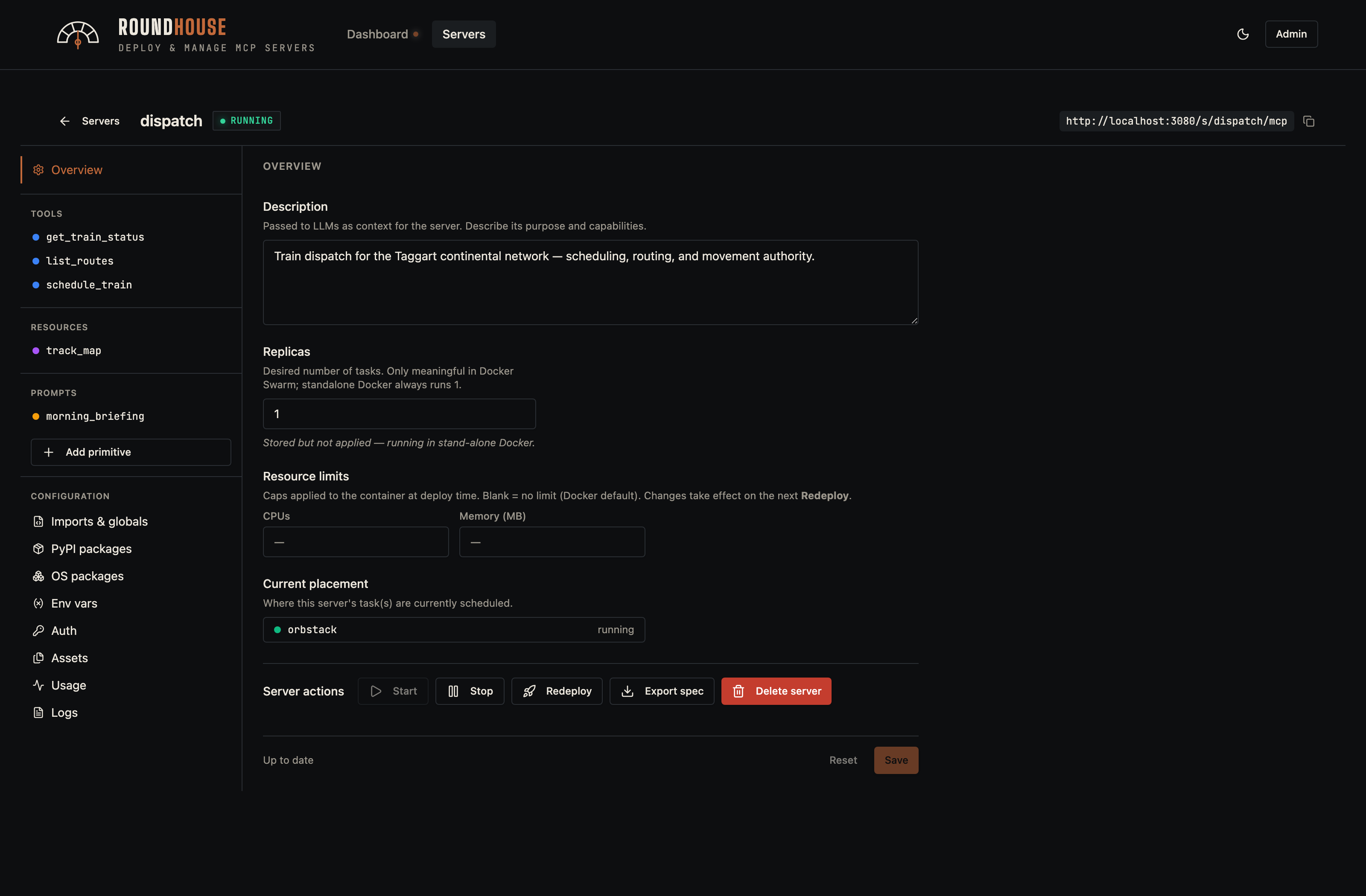
Selecting a server opens the two-pane editor. The left rail is the server's table of contents — primitives, configuration, and operational tabs. The right pane is whichever section you've selected.
Overview#
The overview is the editor's home base: description, replicas, resource limits, and the lifecycle controls (Start, Stop, Redeploy, Delete, plus Update from Git for repos imported via from-git).
Primitives#
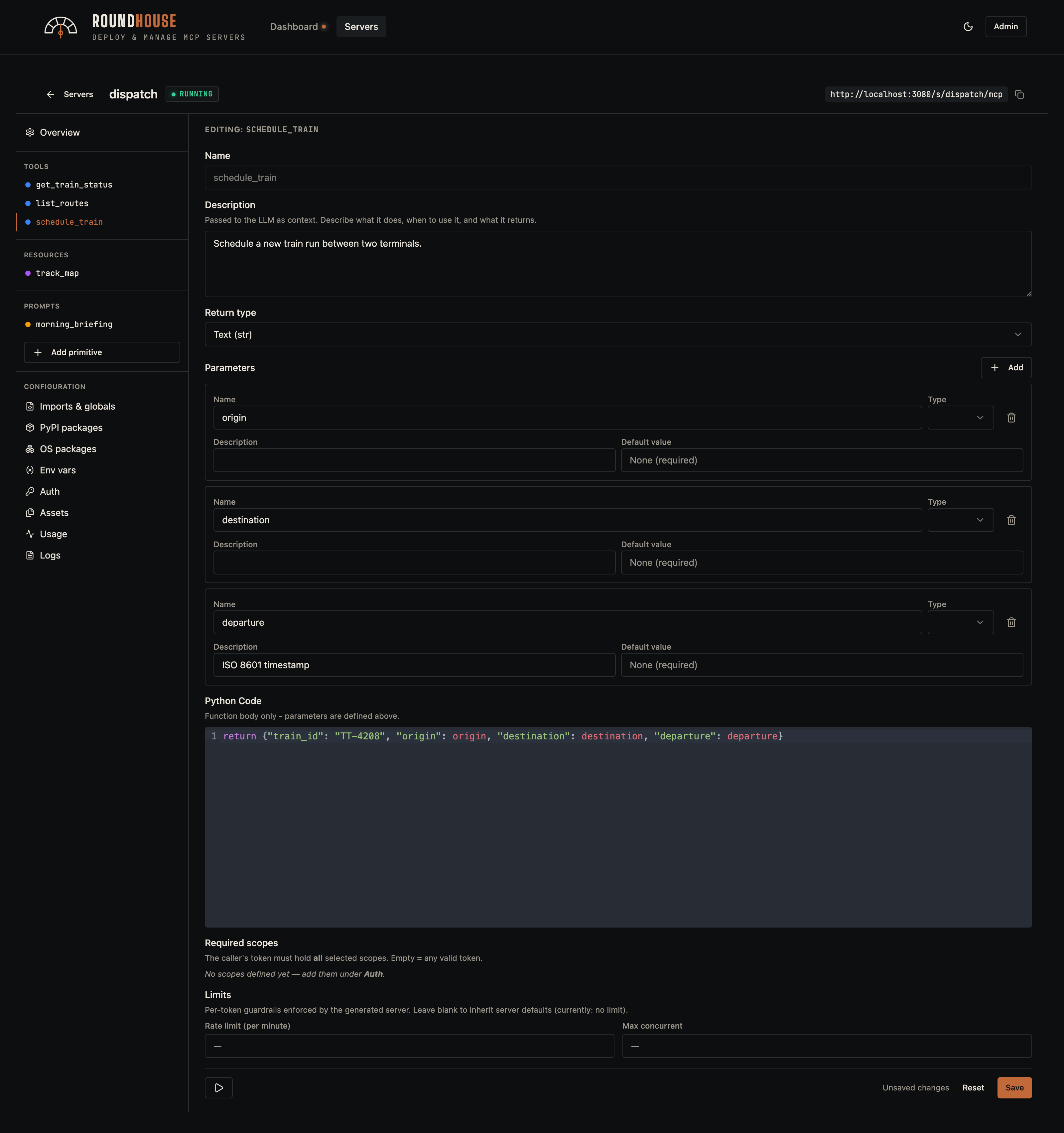
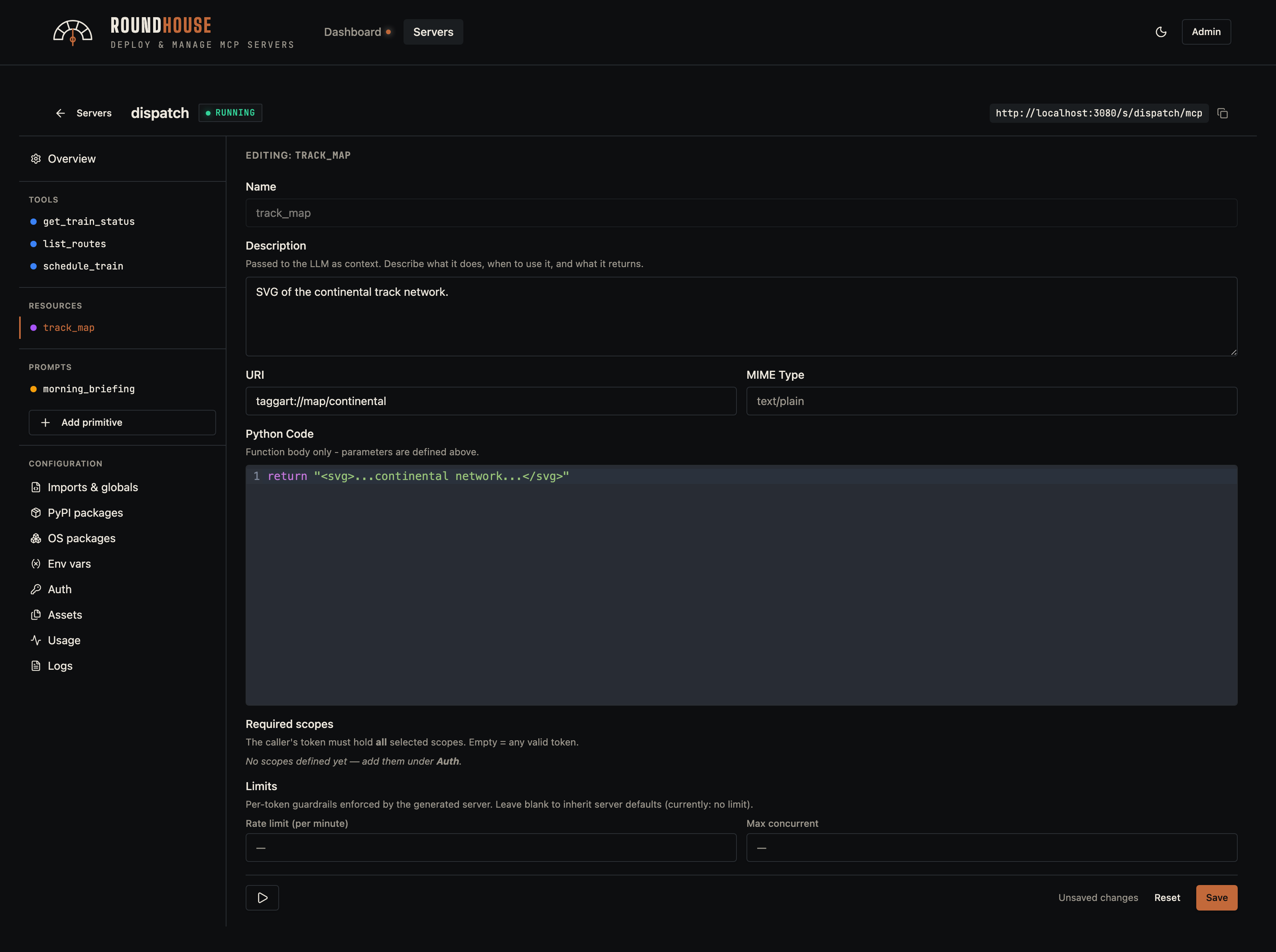
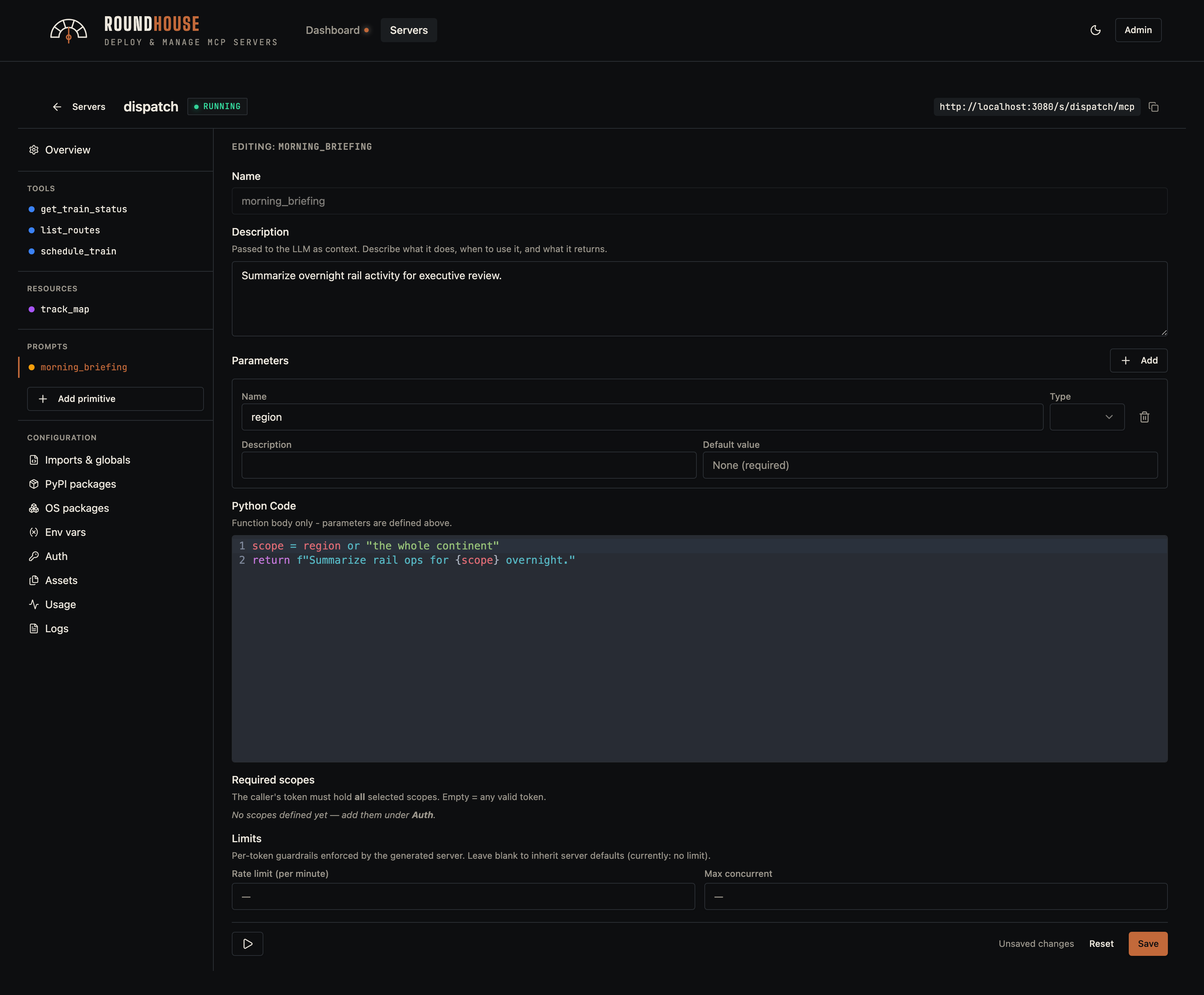
Structured servers expose tools, resources, resource templates, and prompts. Each primitive is edited in-place: parameters, body, and optional middleware overrides (rate limit, max concurrency).
Tool#
Resource#
Prompt#
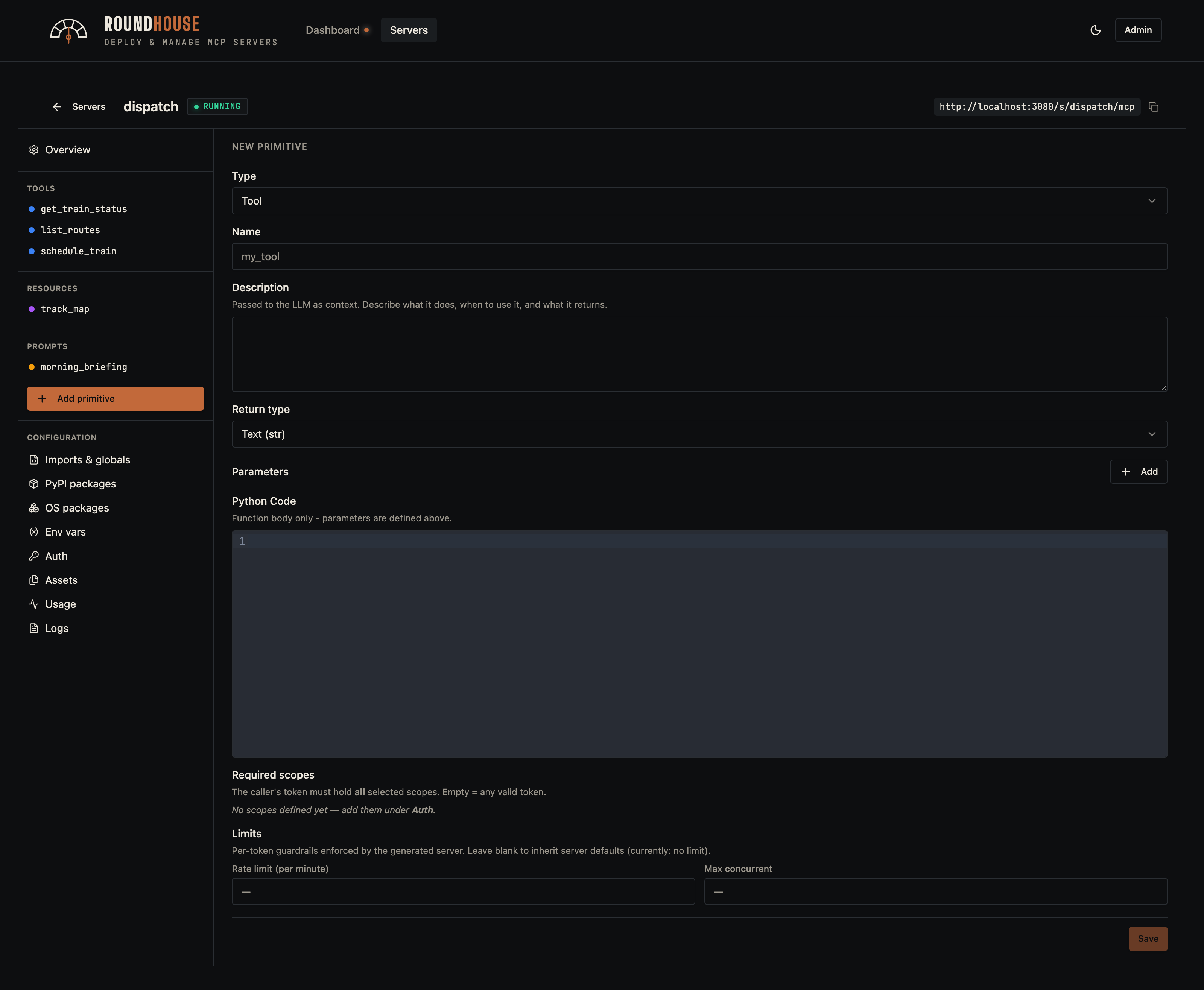
Adding a new primitive#
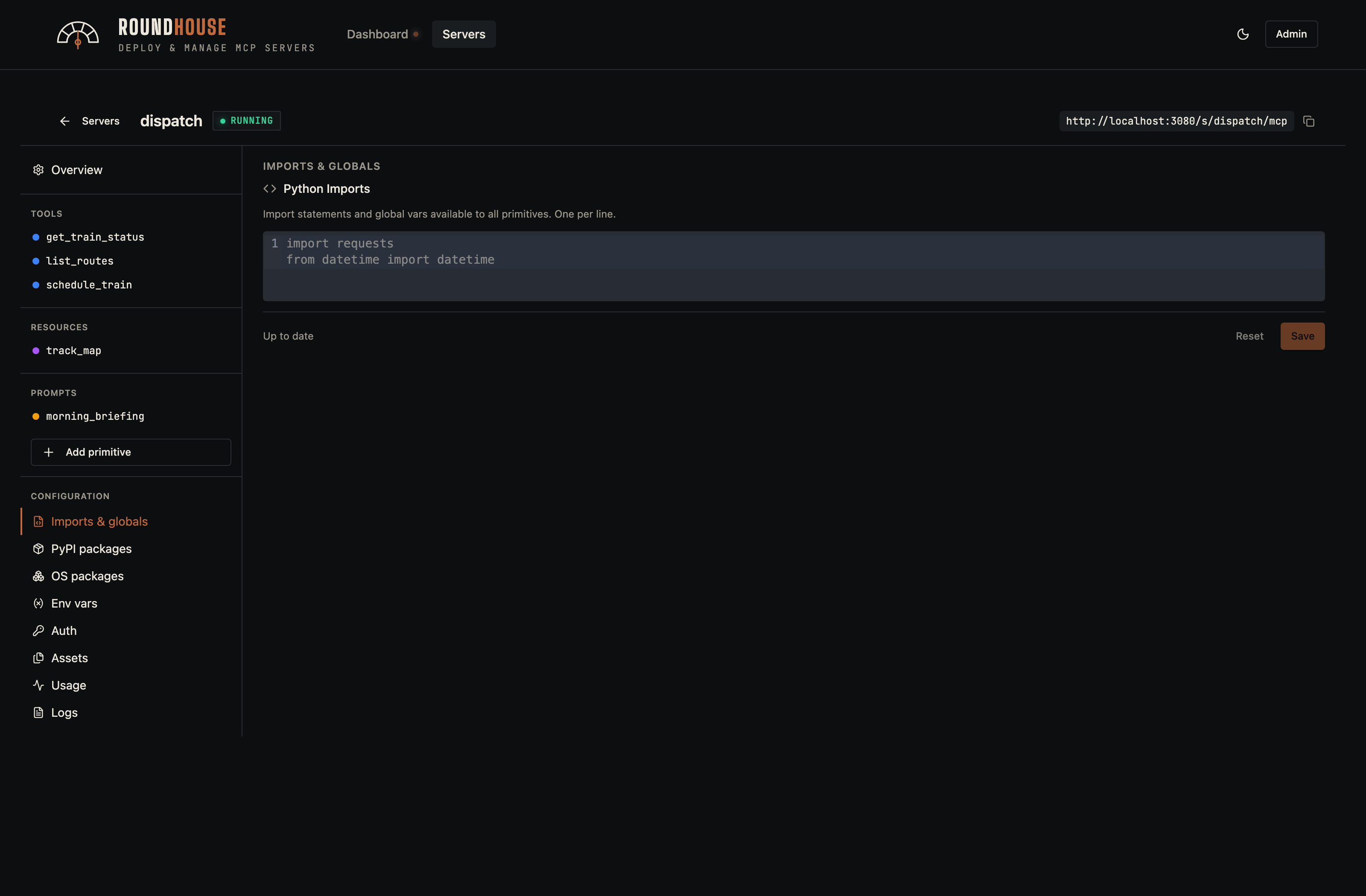
Imports and globals#
Any free-form Python imports or module-level globals that should appear in the generated server.py.
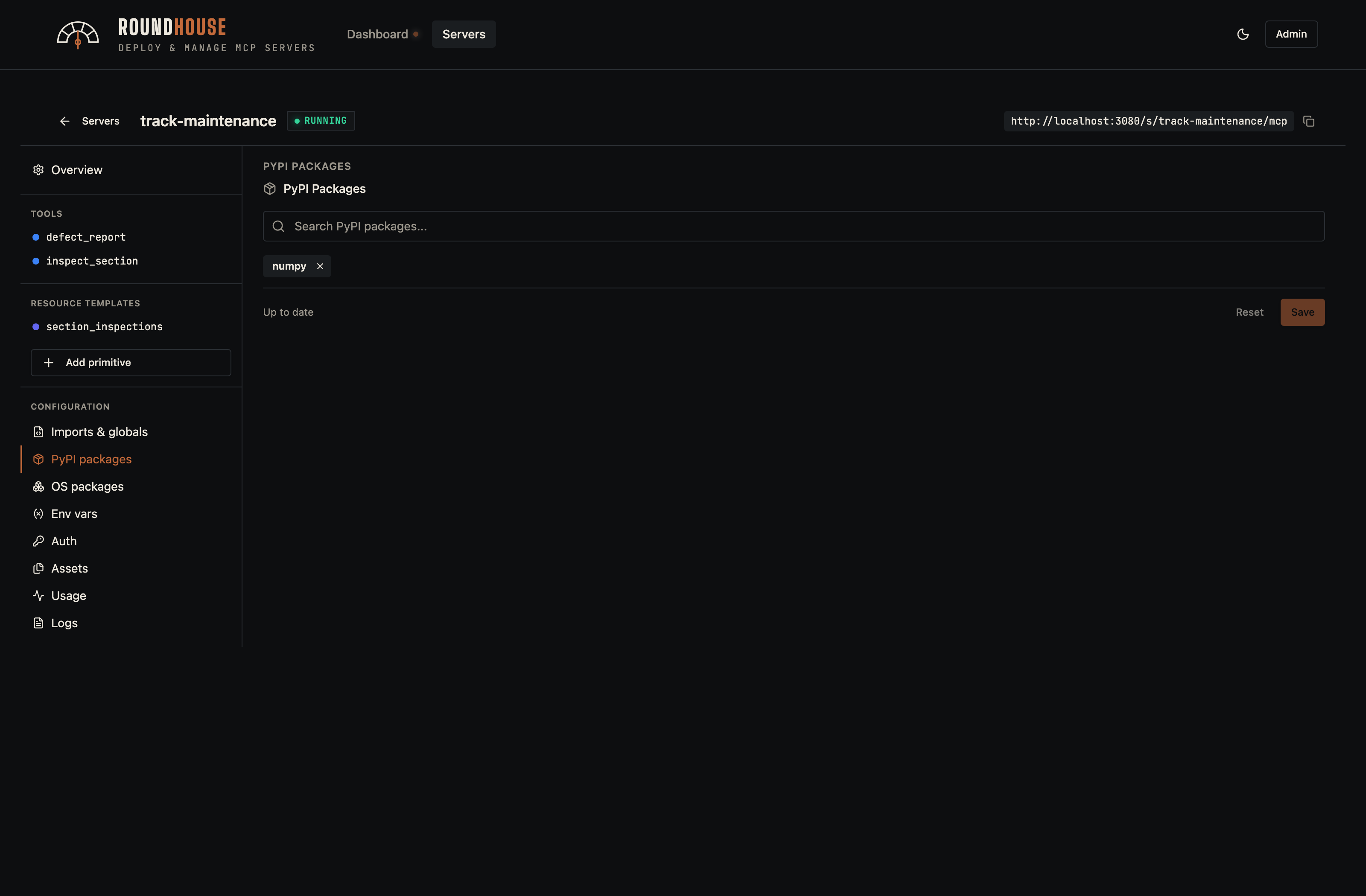
PyPI packages#
Pip dependencies. They are pinned into the generated Dockerfile and installed at build time.
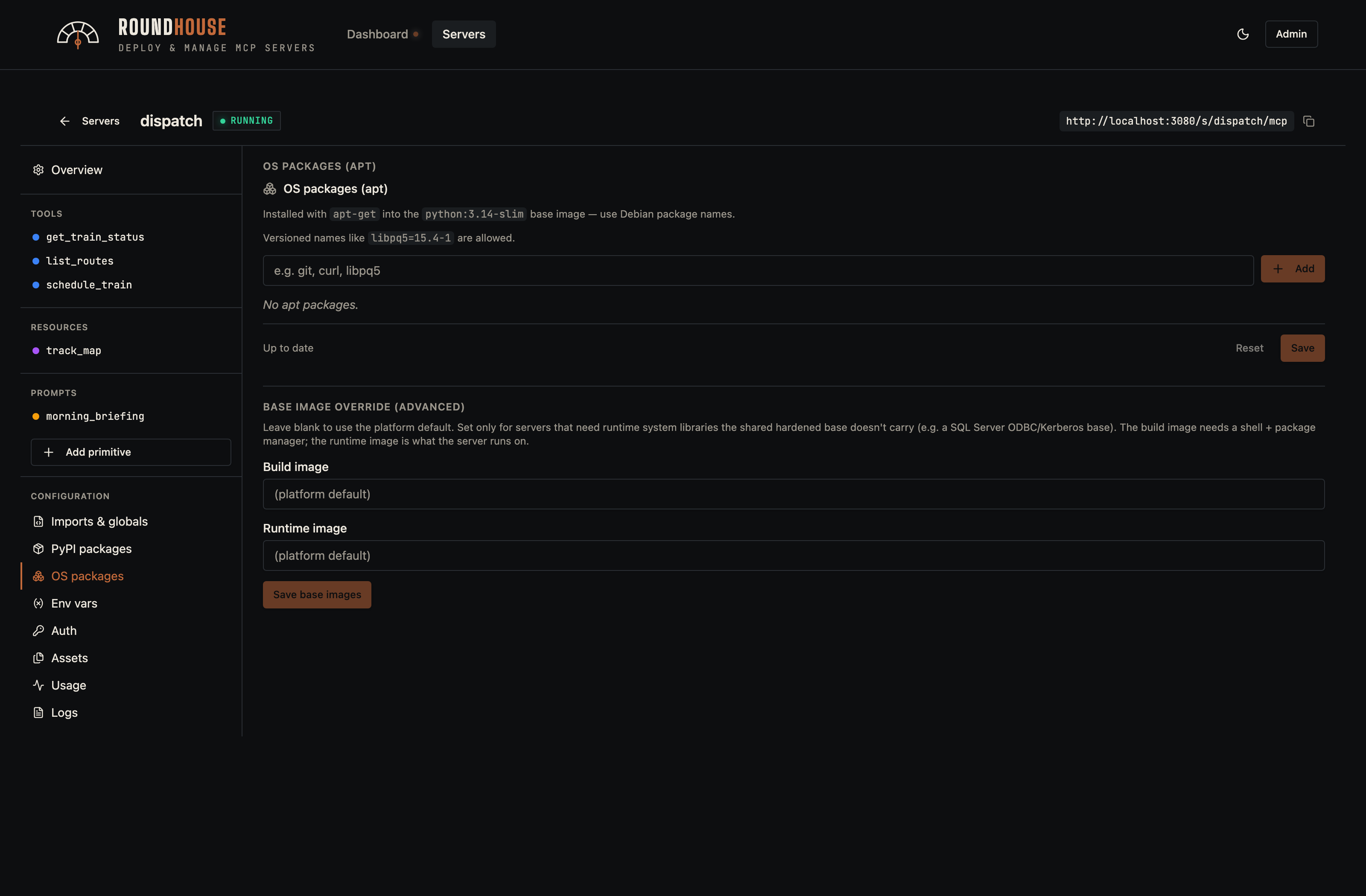
APT packages#
OS-level packages installed via apt-get (or apk on an Alpine base) in the build. Use for native toolchains a Python wheel needs. The same tab holds the optional per-server base image override — see Platform settings below.
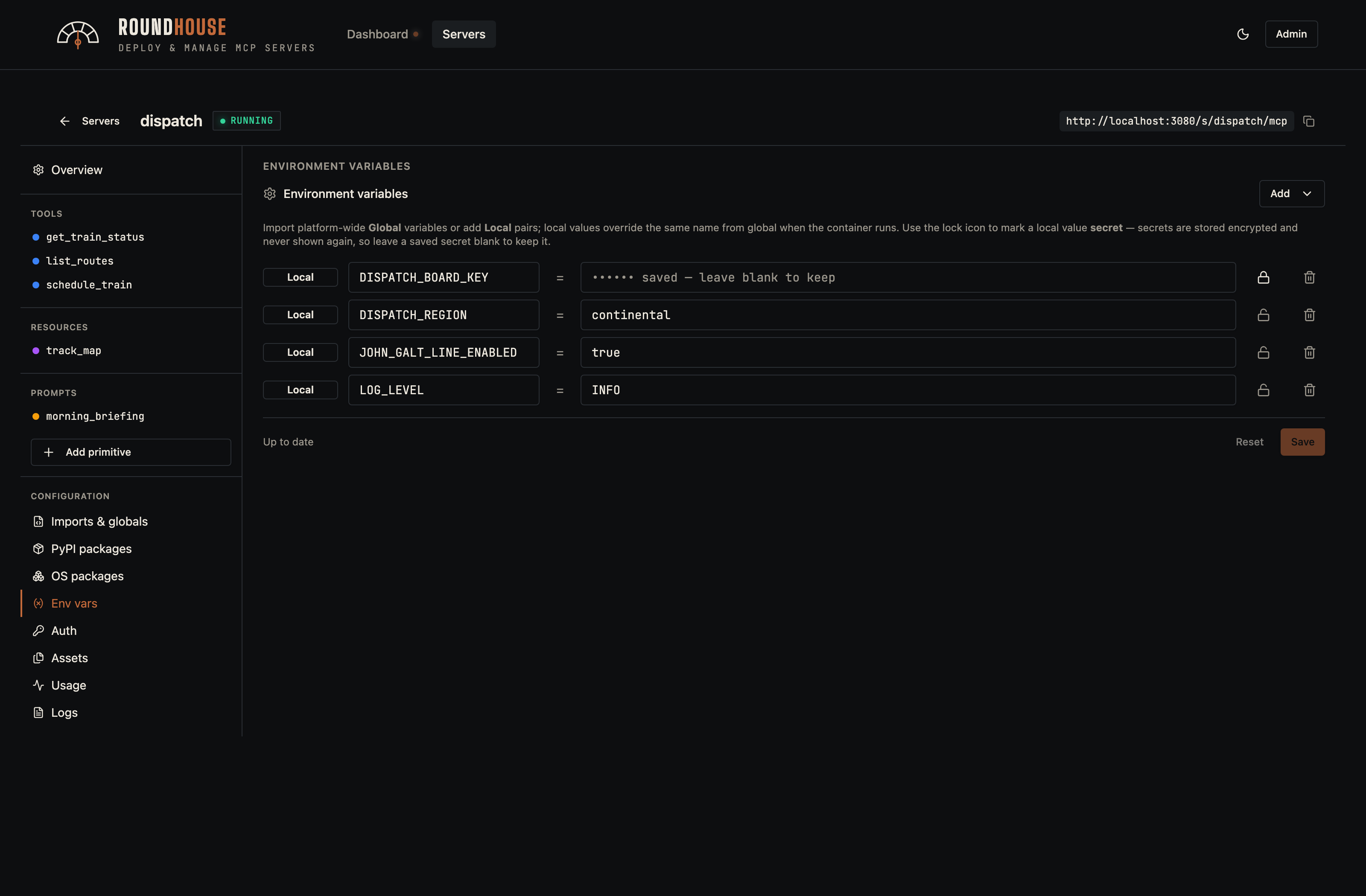
Environment variables#
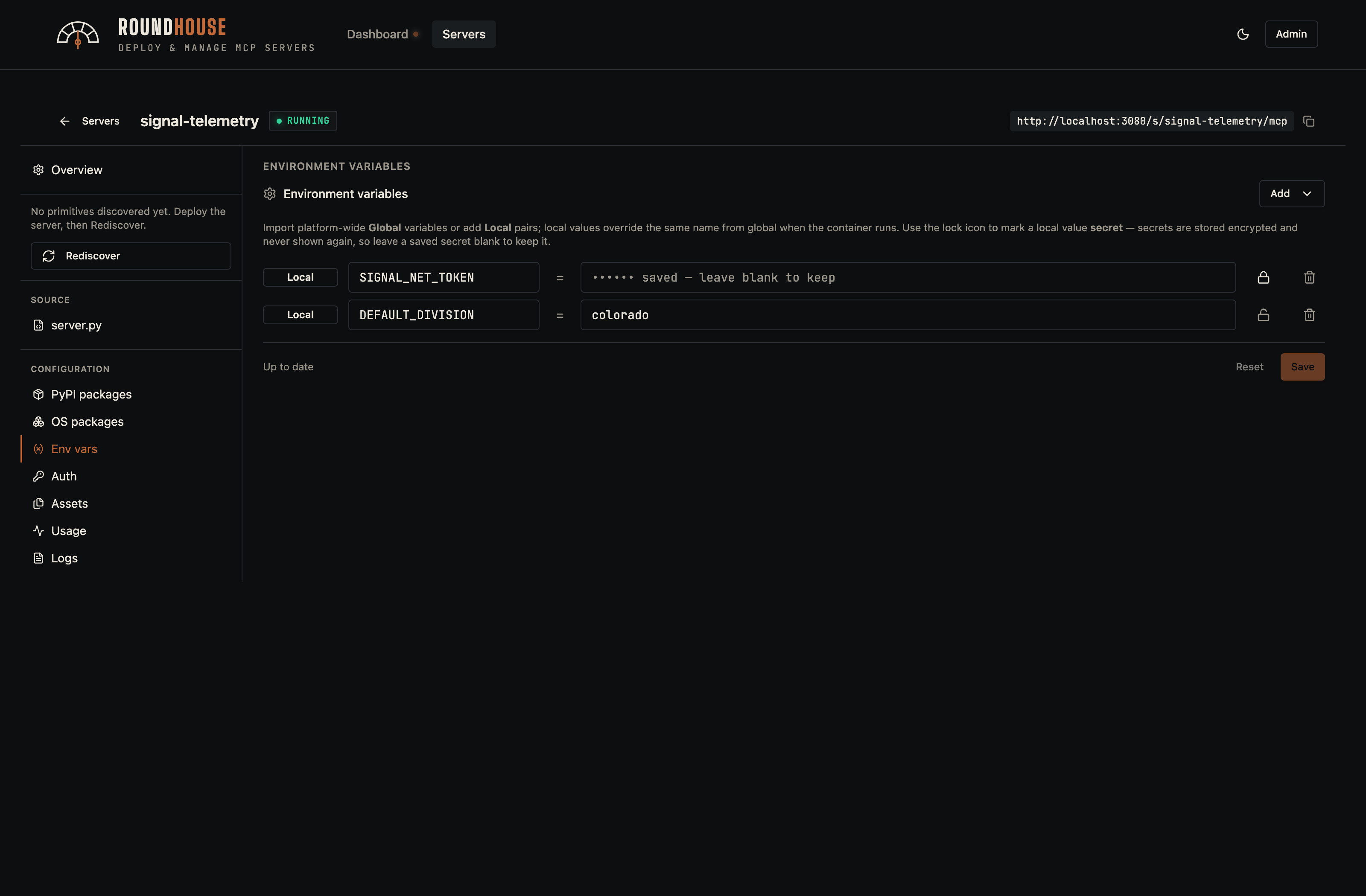
Per-server env vars (with optional encrypted-at-rest secrets) and global imports. Changes save instantly; the redeploy banner surfaces because the new value only takes effect on the next container restart.
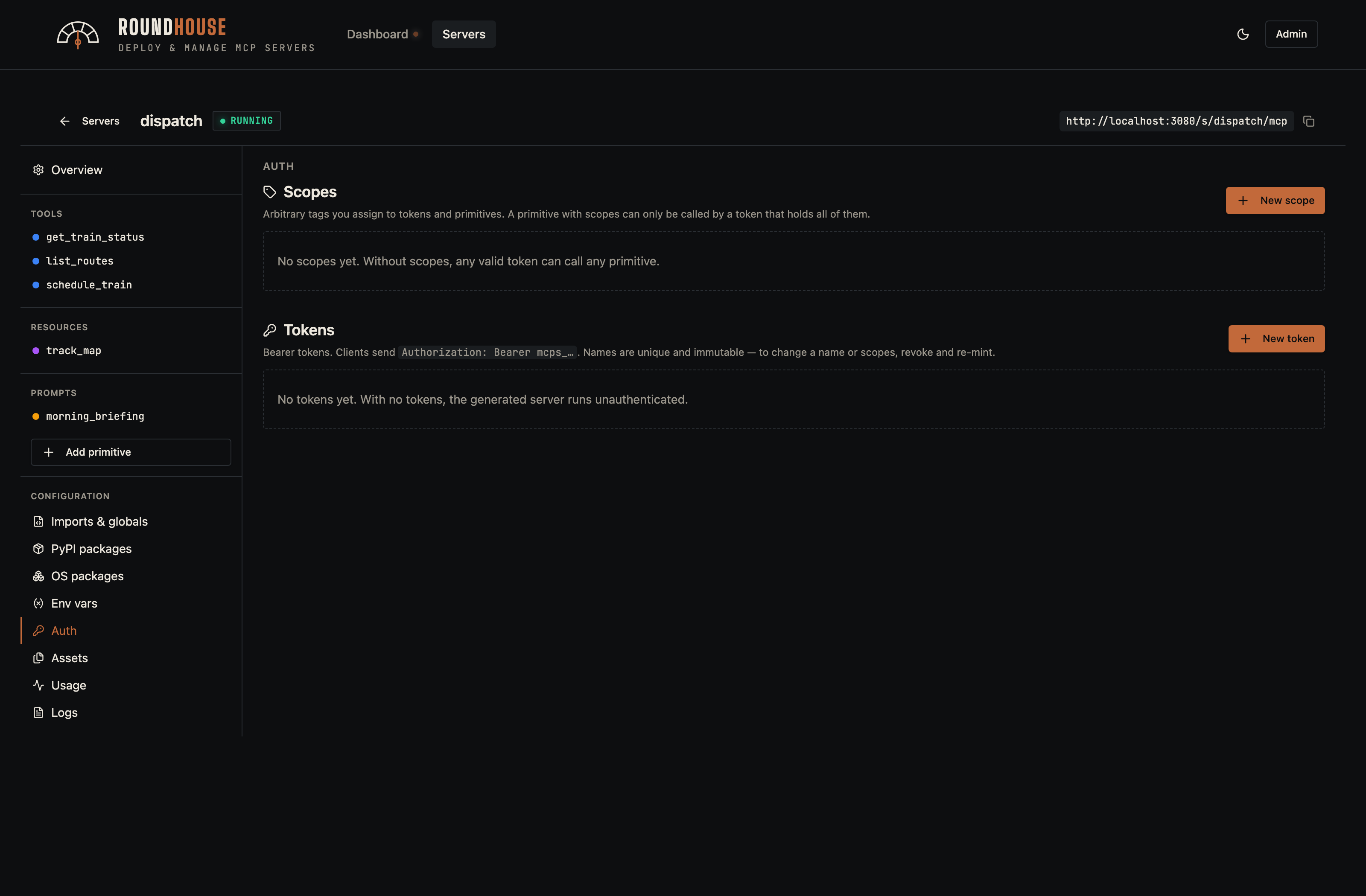
Auth (server tokens)#
Bearer tokens that callers present in the Authorization header. Per-token scopes can lock individual primitives down to specific token holders.
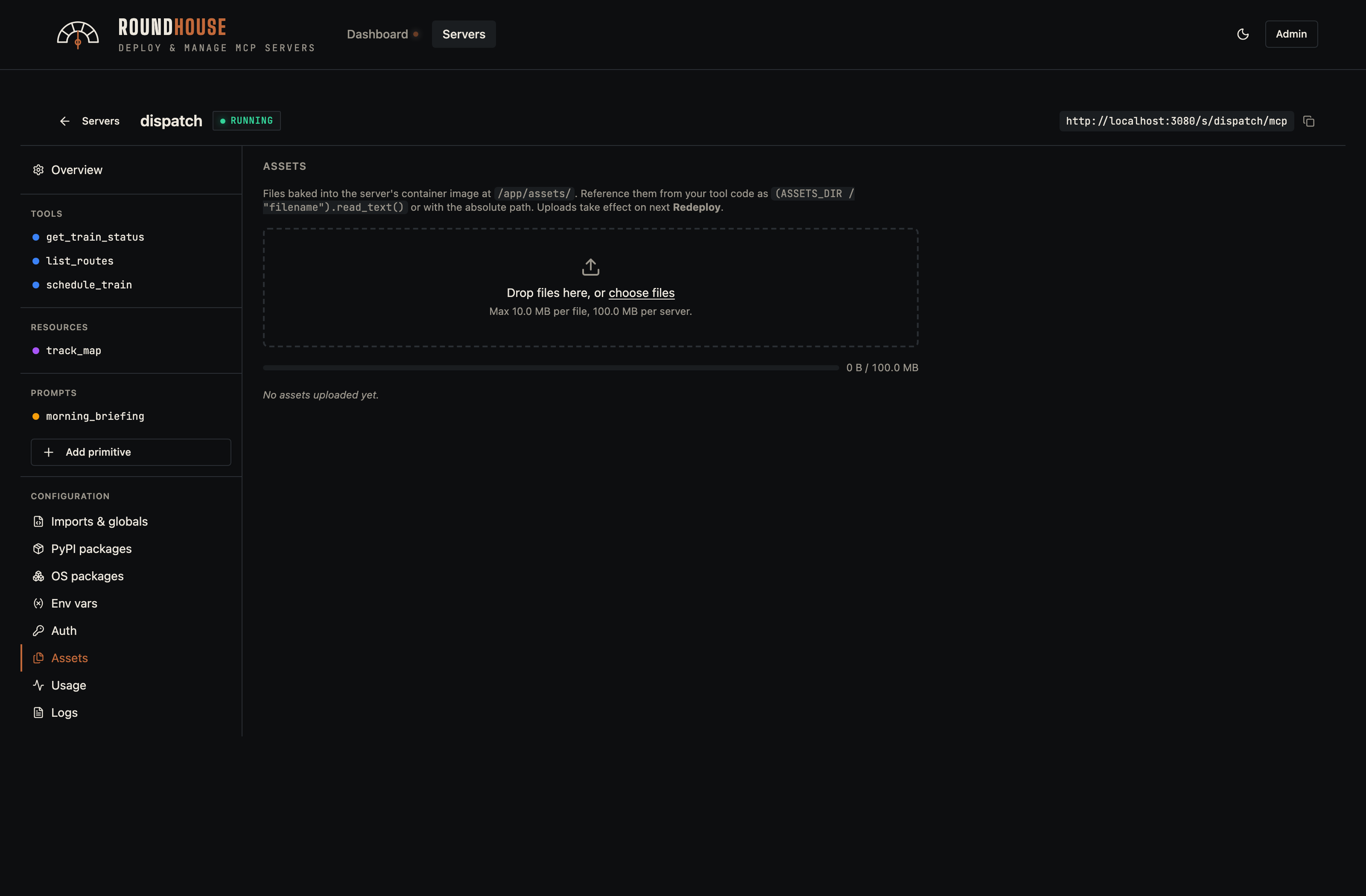
Assets#
Arbitrary files that get baked into the image under /app/assets/. Useful for prompt templates, large JSON fixtures, or any read-only data your tools reference at runtime.
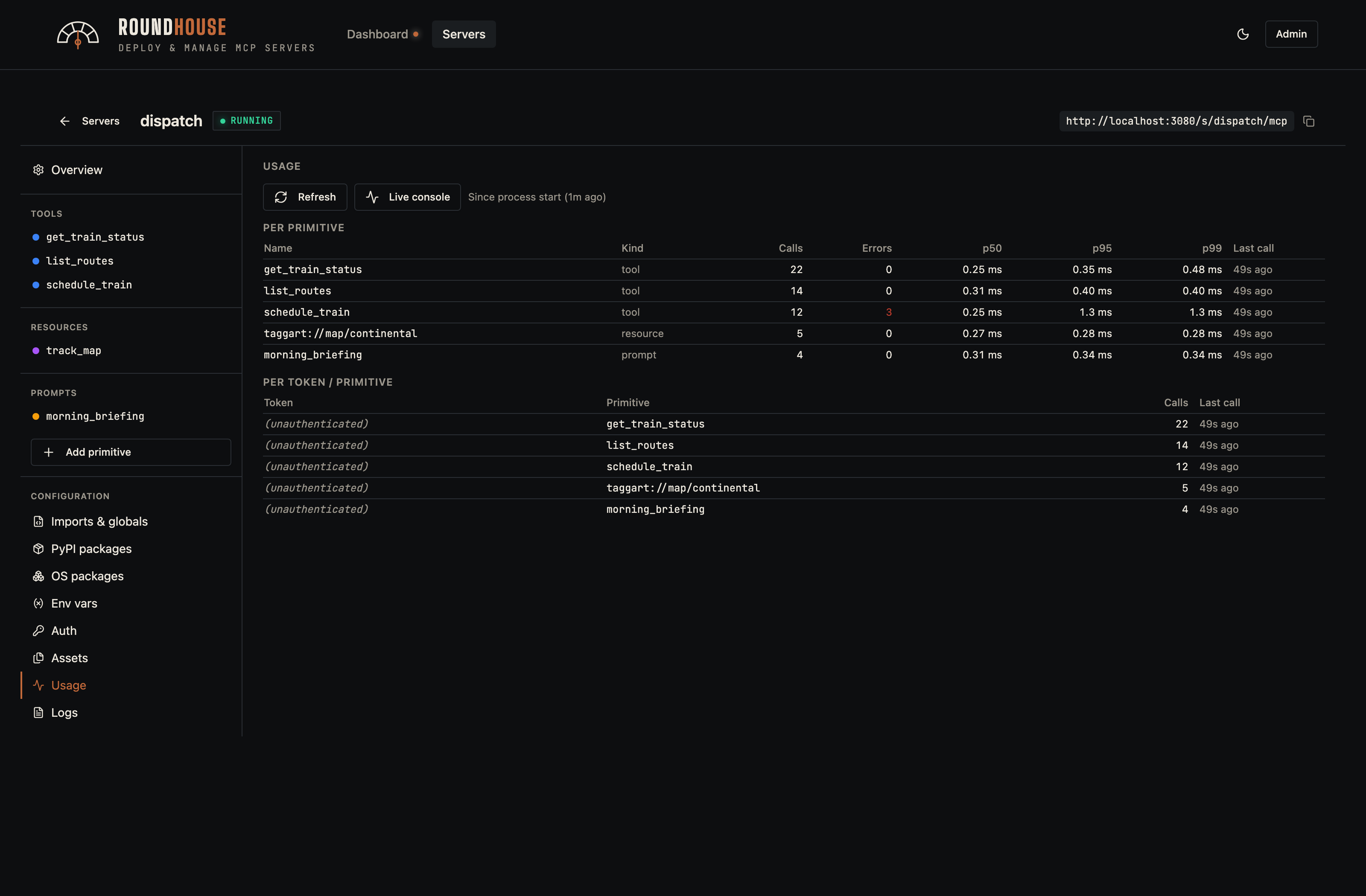
Usage#
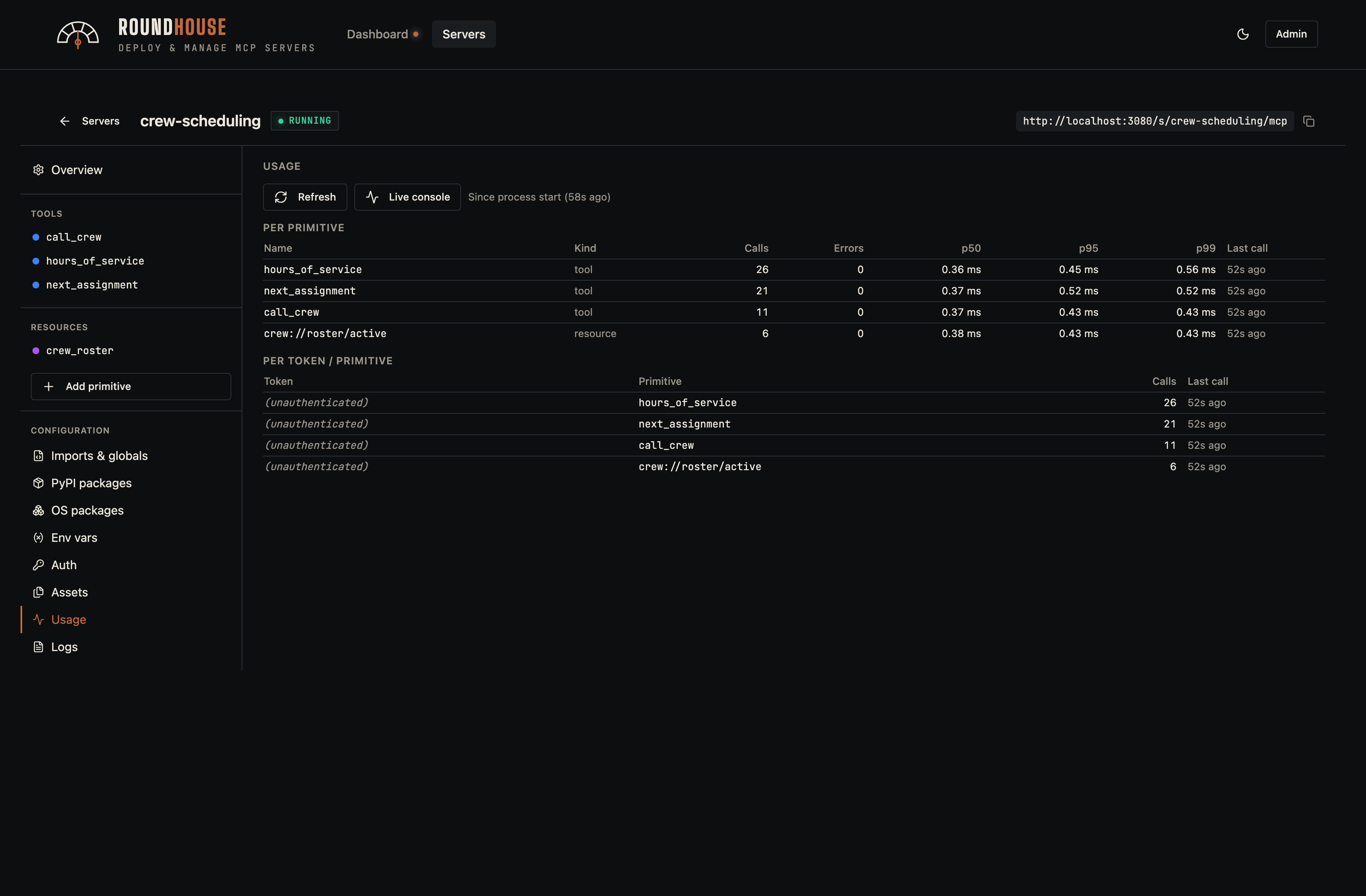
Per-primitive call counts, p50/p95/p99 latency, error rate, and the busiest client tokens. Sampled in-process by the platform middleware and surfaced without an extra metrics backend — no Prometheus, no Grafana, no add-on agent. Drilling into a server's usage tab is how you find latency regressions or the one tool that's getting hammered.
A busier server (crew-scheduling, which carries the heaviest call volume in the demo fleet) makes the chart variety obvious:
Logs#
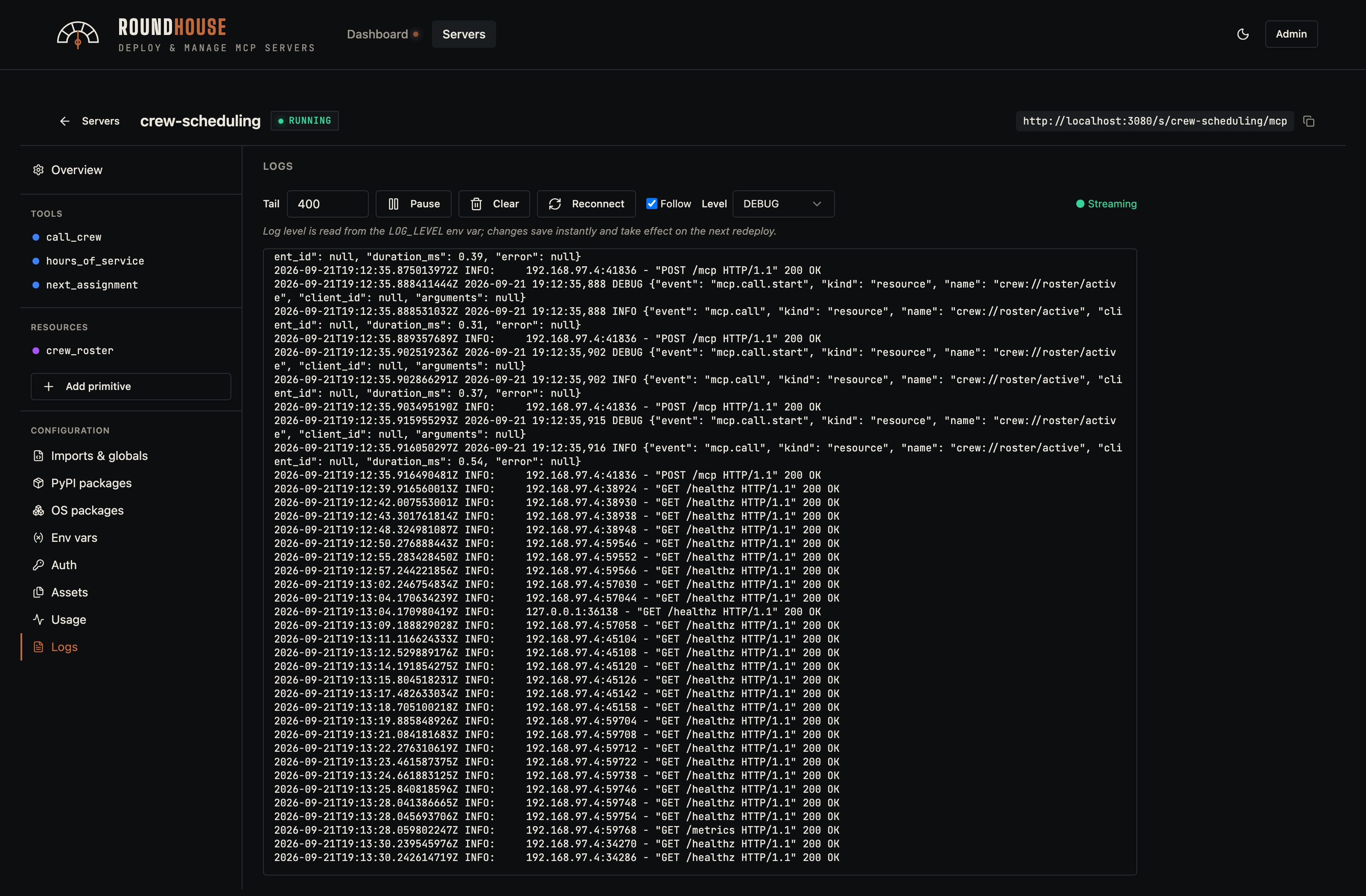
Streams stdout/stderr from the server container via Server-Sent Events.
For spec-based servers, the Level dropdown writes the LOG_LEVEL environment variable on the spec; the platform middleware reads it and configures stdlib logging accordingly. At DEBUG, the middleware also emits a start record (with arguments) for every tool/resource/prompt call. Failed calls promote the end-of-call record to WARNING. The dropdown is hidden for code-mode servers, since they own their own logging surface.
Source (code mode)#
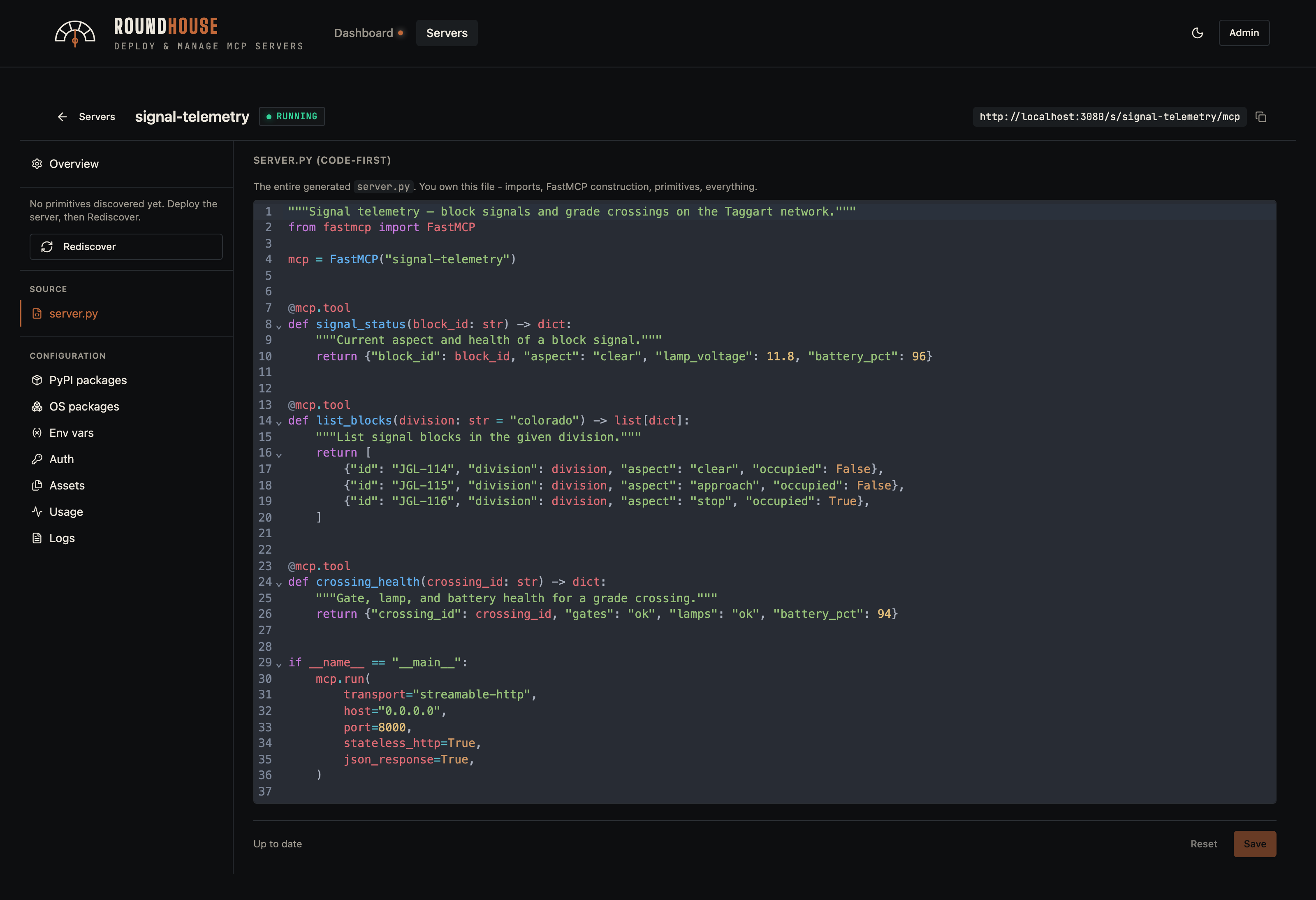
For servers in code mode, the editor replaces the primitive surface with a full server.py editor (CodeMirror, Python syntax highlighting). The platform still controls the Dockerfile.
Code-mode servers still expose every operational tab — env vars, logs, usage — so the operator surface is unchanged.
Stopped server#
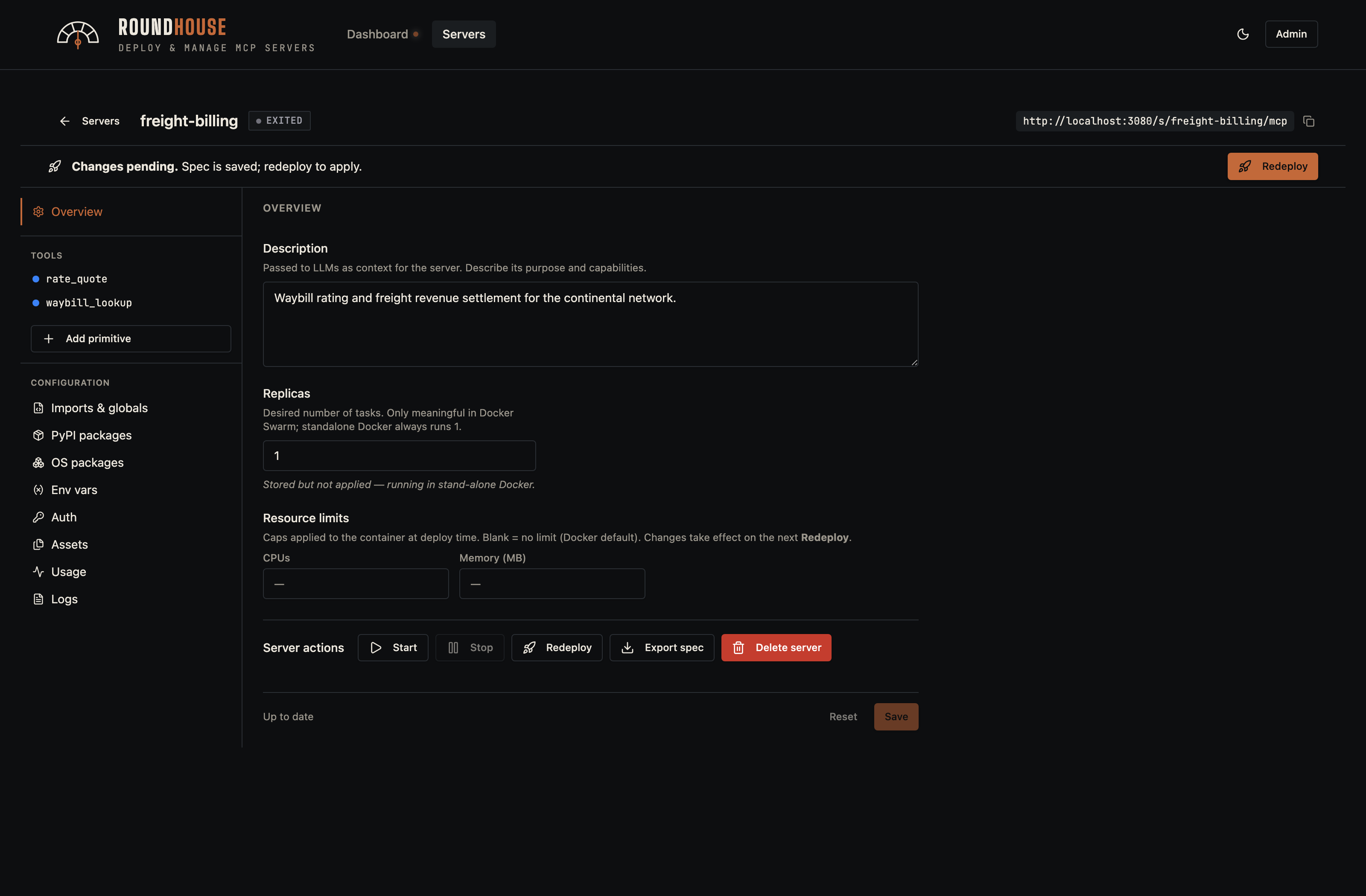
A stopped server keeps its spec on disk; restarting it reuses the cached image without a rebuild.
Platform administration#
Roundhouse ships with a small set of platform admin views.
Platform settings#
Host configuration: external hostname, Docker registry credentials, custom CA bundle for outbound TLS, and platform-wide env defaults that get imported into spec-based servers.
If your registry is Harbor, enable Vulnerability scanning under the registry settings: Roundhouse then reads Harbor's Trivy scan results over its API (with the registry credentials — grant the robot account scan/artifact read permission) and shows a per-server vulnerability badge in the servers list, plus a severity breakdown with a deep link to the report on each server's Overview tab. Pairs well with Harbor's prevent vulnerable images from running policy: the badge tells you why a deploy was blocked before you go digging.
MCP server base images. Generated servers build from a multi-stage Dockerfile: a build image (needs pip + apt/apk) compiles dependencies into a virtualenv, and a runtime image runs the server. Both default to python:3.14-slim, which pulls anonymously from Docker Hub — a fresh install builds servers with zero registry setup. Deployments that require a hardened base override both under MCP server base images (or the MCP_SERVER_BUILD_IMAGE / MCP_SERVER_RUNTIME_IMAGE env vars) — e.g. the Docker Hardened Images dhi.io/python:3.14-debian13-dev (build) and dhi.io/python:3.14-debian13 (runtime, non-root + distroless); the generated Dockerfile already handles shell-less runtimes. A blank field falls back to the env default. When you pick an Alpine base, codegen switches OS-package installs from apt-get to apk, and the server's OS packages editor tells users which distro's package names to use.
Per-server base image override. A single server that needs runtime system libraries the shared base doesn't carry (e.g. a SQL Server ODBC + Kerberos base) can set its own build / runtime images under the server editor's OS packages tab, without changing every other server's image. Precedence is per-server override → platform setting → env default; blank fields fall back to the platform default, and the OS packages hint (apt vs apk) follows the override. Base image registry credentials are only sent to the registries of the platform-wide base images, so an override on a different private registry must be anonymously pullable.
Base image registry credentials. When the base images live on a private registry, enter the pull credentials under Base image registry credentials. The password is encrypted at rest (AES envelope keyed off APP_KEY, like the SSO client secret) and delivered to the build daemon as an X-Registry-Config header for the FROM pull.
Docker 29+ / BuildKit. Docker Engine 29 builds exclusively with BuildKit, which ignores
X-Registry-Config— so on those engines the platform cannot authenticate a private base-image pull over the build API, and Base image registry credentials have no effect. Use a base image that is anonymously pullable (publicpythonimages work as-is): mirror the hardened base into an anonymous-pull project on your internal registry and point MCP server base images at the mirror. This also removes per-node egress to the public base registry. Example: ``bash docker pull dhi.io/python:3.14-debian13-dev docker tag dhi.io/python:3.14-debian13-dev registry.example/mcp_server_base/python:3.14-debian13-dev docker push registry.example/mcp_server_base/python:3.14-debian13-dev # (repeat for :3.14-debian13, then set both under MCP server base images)``
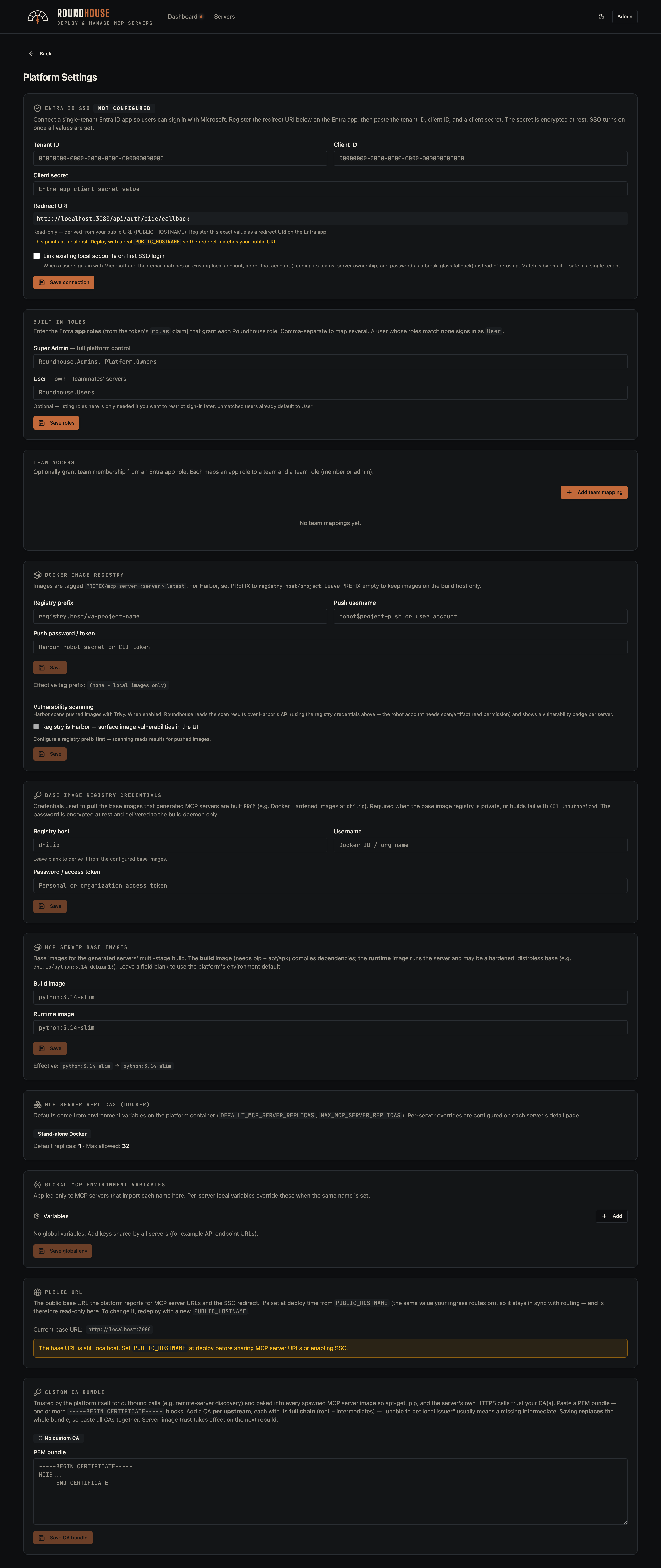
Understanding scan results. Most findings on a generated server image come from the base image's OS packages — not your server code or its Python dependencies (the fastmcp dependency tree typically scans clean). On the Debian base the majority (~77%) are attributed to linux-libc-dev, which ships only Linux kernel headers: a container uses the host's kernel, so those kernel CVEs are not exploitable through the image, and none have a fix. Two ways to cut the noise:
- Use a minimal base. The DHI Alpine variant ships no
linux-libc-dev and scans essentially clean — set it under MCP server base images. Trade-off: musl-based, so a pip package without a musllinux wheel would have to compile from source at build time.
- Suppress the non-applicable package. For Roundhouse's own CI / local
Trivy runs, deploy/trivy/ignore-policy.rego drops linux-libc-dev. Harbor's built-in scanner only supports CVE-ID allowlists per project (not per package), so on Harbor prefer the minimal-base approach.
Users#
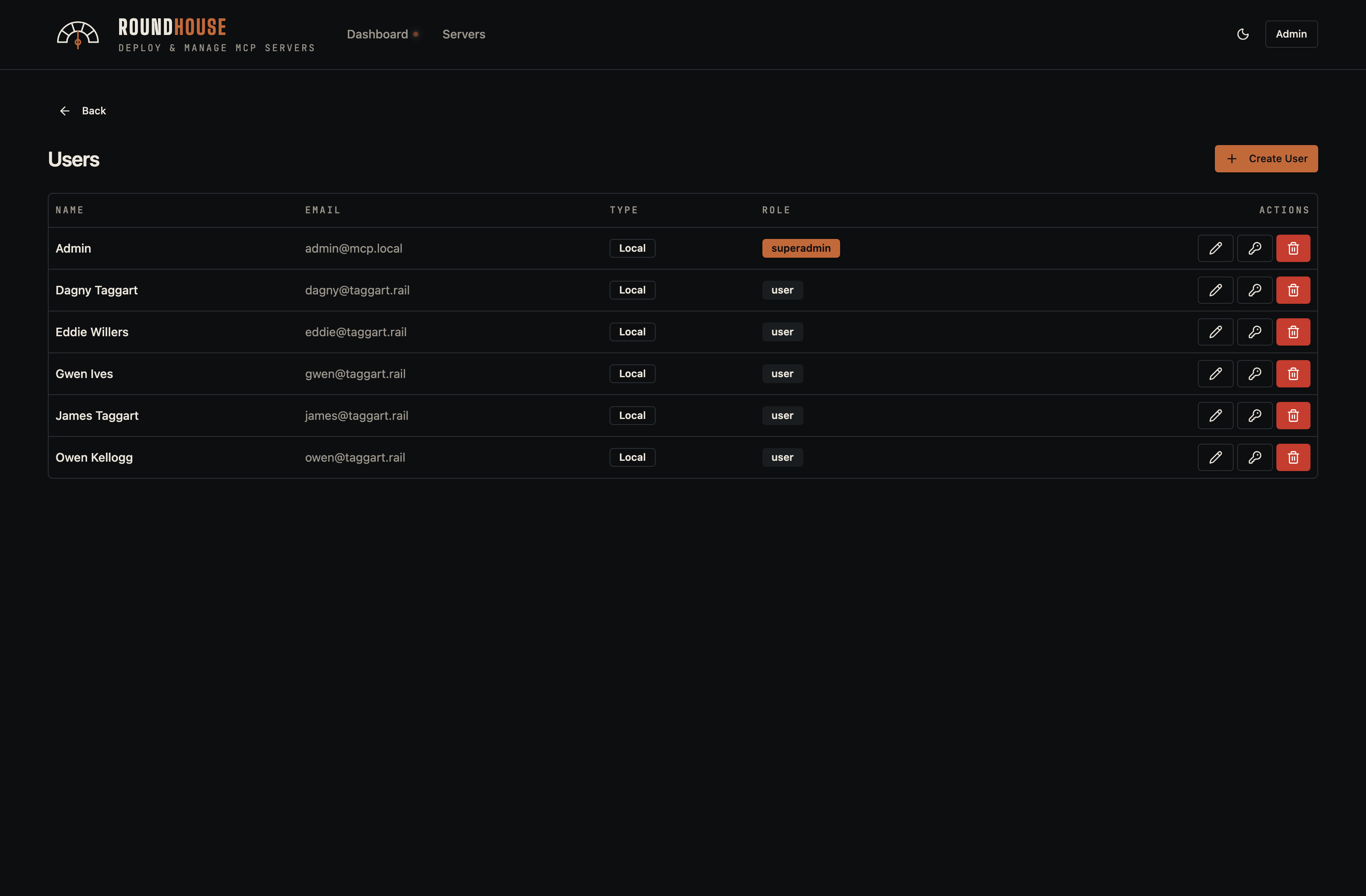
User accounts with role assignment. The seeded demo includes a handful of operators alongside the platform admin; superadmins can reset passwords and revoke access from this page.
Teams#
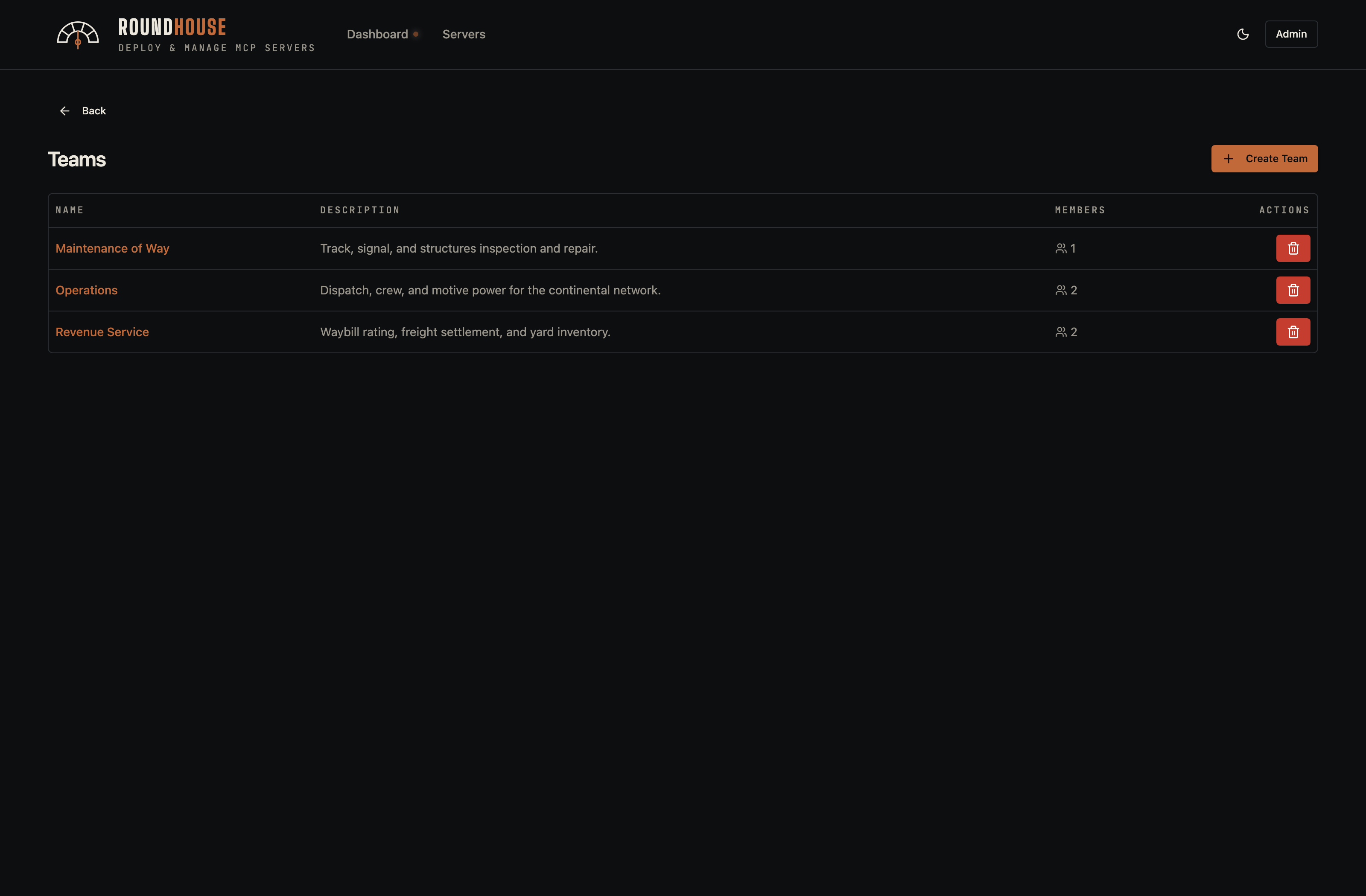
Teams group users into shared-access bundles. A team can own one or more servers, and any team member inherits access to those servers without needing per-server token grants. The seeded demo creates three railroad departments — Operations, Maintenance of Way, and Revenue Service — each with its own member roster.
Audit log#
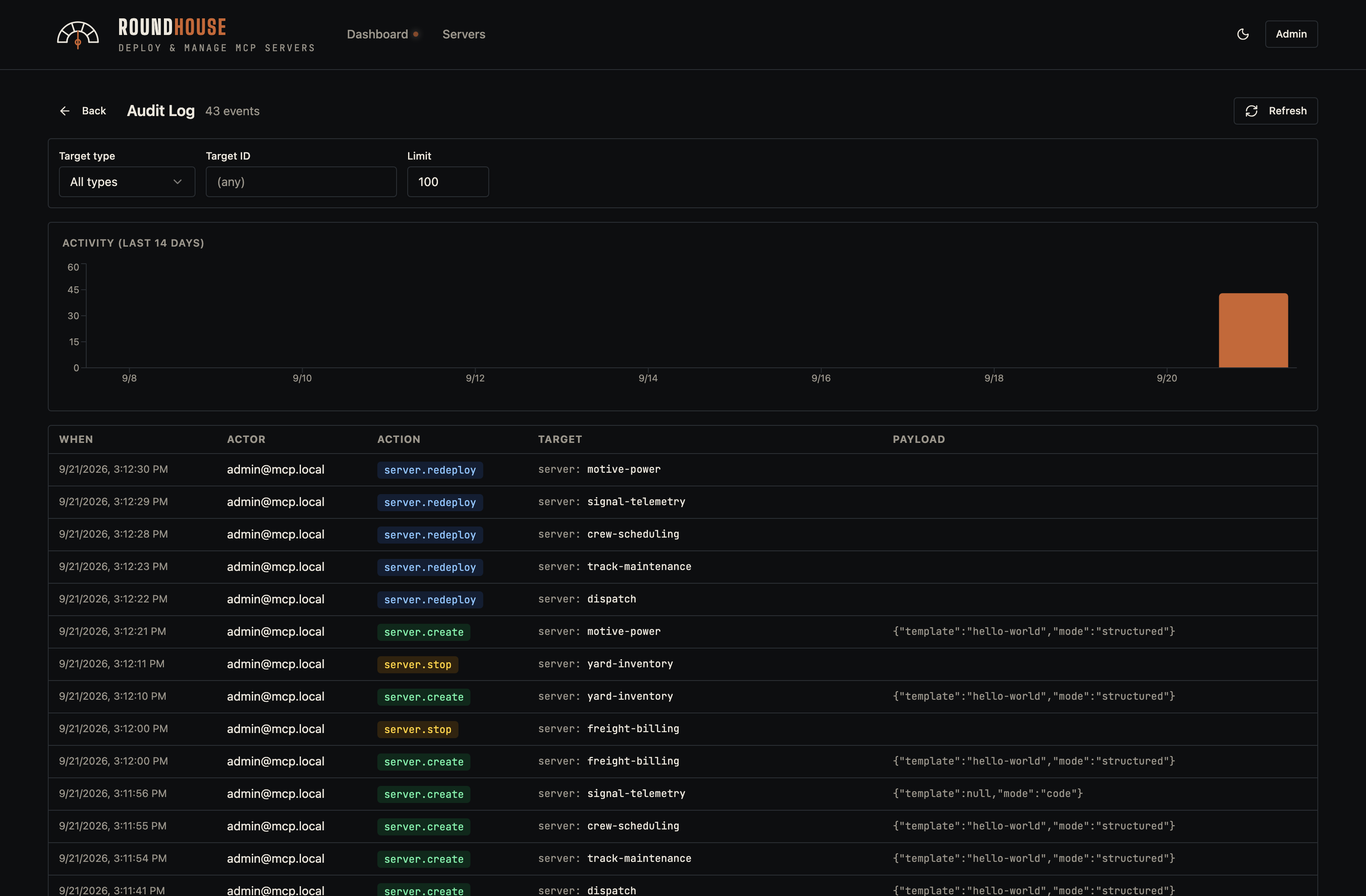
Every state-mutating action — server create/delete, env-var change, token rotation — is recorded with the acting user, target, and a structured detail payload.
Configuration reference#
Everything reads from environment variables — see .env.example for the full list. The knobs you'll actually touch:
| Variable | Purpose |
|---|---|
APP_KEY | base64:<32 random bytes> — encrypts runtime tokens at rest. Generate with printf 'base64:%s' "$(openssl rand -base64 32)". |
MCP_BASE_URL | The URL clients see for spawned servers. Set this when deploying past localhost. |
MCP_DOCKER_HOST | /var/run/docker.sock (default) or tcp://socket-proxy:2375 for hardened Swarm setups. |
MCP_SERVER_BUILD_IMAGE | Base image for the build stage of generated servers (needs pip + apt/apk). Default python:3.14-slim. Overridable in Platform settings → MCP server base images. |
MCP_SERVER_RUNTIME_IMAGE | Base image for the runtime stage of generated servers. Default python:3.14-slim; hardened deployments point it at a non-root, distroless base (e.g. dhi.io/python:3.14-debian13). Overridable in Platform settings. |
MAX_MCP_SERVER_REPLICAS | Per-server replica cap (Swarm only). |
ADMIN_EMAIL / ADMIN_PASSWORD | First-boot seed user. Ignored once a user exists. |
Behind a corporate TLS-inspecting proxy#
The published image needs no build, so this only applies if you build from source (docker-compose.dev.yml or your own image). If your network MITMs outbound TLS during image builds, drop the proxy's CA bundle at api/docker/corp-ca.crt before building. The Dockerfiles pick it up automatically; the file is gitignored so it can't be committed by accident. In any other environment, leave it absent and the build skips that step.
Deployment modes#
| Mode | File | Best for |
|---|---|---|
| Local / single-host | docker-compose.yml | Trying it out, small teams, hosting on one box. Pulls the published image — no clone or build. Single Docker daemon, Traefik on the same socket. |
| Docker Swarm | docker-stack.yml | Multi-node, scoped socket proxies. Sits behind a cluster ingress that terminates TLS — or terminates HTTPS itself with the self-managed TLS overlay (upload the cert from the dashboard, no upstream proxy needed). |
Both modes are fully self-contained — well suited to air-gapped and restricted networks where outbound connectivity and cloud integrations aren't an option.
Extending the Swarm stack#
The shipped docker-stack.yml is fully self-contained: it references only public images (the Roundhouse platform-api image is published to GHCR), configures its embedded Traefik via CLI flags, and depends on no other file in this repository. Deploying needs nothing but the stack file itself — download docker-stack.yml, write a small overlay for your environment, and docker stack deploy. There's no clone, no local build, and no upstream to track.
Letting Roundhouse terminate TLS itself? Then you likely don't need to write an overlay at all — the shipped
docker-stack.tls.override.ymlis the complete second file, and the front-proxy network (PUBLIC_INGRESS_NETWORK) does not apply: published ports reach Traefik directly, with no user-created network in between. Skip straight to Terminating TLS on Roundhouse's own ingress. The overlay mechanics below only matter if you're layering site-specific config — a front proxy, node pins, a pinned image version.
Anything specific to your environment — a front reverse-proxy network, node placement, a pinned image version, extra labels — belongs in a separate overlay file you own, layered on at deploy time rather than edited into the base. Keeping site-specific changes out of the base is what lets you drop in a new release of docker-stack.yml without re-applying your edits.
Docker Swarm merges multiple stack files left to right, so you point docker stack deploy at both:
docker stack deploy \
  -c docker-stack.yml \
  -c docker-stack.override.yml \
  roundhouse
A ready-to-copy starting point lives at docker-stack.override.example.yml. Copy it to docker-stack.override.yml, keep the blocks you need, and edit.
How the merge behaves#
Two rules cover almost everything you'll want to add:
- Service
networksare unioned. Listing a network under a service in the
overlay adds it — the service keeps the networks the base gave it. This is how you attach the embedded Traefik to your front proxy network without touching the base file.
- Placement
constraintsappend, and Swarm ANDs them. Overlay constraints
are added to whatever the base declared. Because they AND together, an overlay can only make scheduling more restrictive — it cannot remove a constraint the base set. So the base carries only universally-true constraints; anything topology-specific goes in your overlay.
Render the merged result before deploying — this resolves both files and prints the final stack without deploying anything:
docker stack config -c docker-stack.yml -c docker-stack.override.ymlFront reverse-proxy network#
Fronted deployments only — if Roundhouse terminates TLS itself, skip this section and leave the block out of your overlay.
When an upstream proxy terminates HTTPS and forwards HTTP into this stack, the embedded Traefik needs to share a network with it. Attach it in the overlay:
services:
  traefik:
    networks:
      - public

networks:
  public:
    external: true
    name: ${PUBLIC_INGRESS_NETWORK:-public-ingress}
external: true means Docker will not create the network — it must already exist before you deploy, owned by whatever runs your ingress. Create it once with docker network create --driver overlay --attachable <name> (or let your front proxy — Caddy, nginx, Traefik, … — create it), and set PUBLIC_INGRESS_NETWORK if the real name differs from the default.
Terminating TLS on Roundhouse's own ingress (no upstream proxy)#
For a dedicated Swarm cluster where Roundhouse owns the hostname, the upstream reverse proxy is unnecessary — the embedded Traefik can terminate HTTPS itself. Deploy with the self-managed TLS overlay instead of the front-proxy one:
docker stack deploy \
  -c docker-stack.yml \
  -c docker-stack.tls.override.yml \
  roundhouse
This overlay (docker-stack.tls.override.yml) publishes :443, adds a websecure entrypoint that redirects HTTP → HTTPS, and turns on the Platform Settings → HTTPS certificate panel. Like the base stack it references no repo file — download the two stack files and deploy; there is nothing to check out on the host. There is nothing to set up before first boot either: Traefik serves a self-signed certificate on :443 until you upload a real one. This mode needs no authored overlay, no external network, and no PUBLIC_INGRESS_NETWORK — the two files above are the whole deployment (plus PUBLIC_HOSTNAME and the Swarm secrets the base stack documents).
Installing your certificate is a UI step, not a deploy step. In Platform Settings, paste your PEM certificate (leaf + intermediates, in chain order) and its unencrypted private key, and save. Roundhouse validates the pair, stores it (the key encrypted at rest with APP_KEY), and delivers it to Traefik as Swarm secrets — the cert, the key, and Traefik's default-certificate config, all cluster-distributed via Raft, so no shared volume is needed and Traefik stays freely schedulable. Rotating the certificate is the same UI step again; it triggers a zero-downtime rolling reload (run Traefik at replicas: 2+ across nodes if you want the rollout to be gapless).
This trades a small widening of the API socket-proxy (the overlay grants it SECRETS: 1 so the app can manage the cert secret) for dropping the entire upstream proxy and its cert lifecycle. Servers created before switching to this mode keep their old HTTP-only routing labels until recreated — redeploy or restart them once after enabling it.
Prefer managing the certificate outside the app? Point the base stack at a front reverse proxy (the standard overlay) and terminate TLS there instead; this self-managed overlay is the zero-touch, no-upstream path.
Pinning a service to a node#
To keep a stateful service on a particular node — say Postgres on the box with fast persistent storage — label the node and constrain the service:
services:
  postgres:
    deploy:
      placement:
        constraints:
          - node.labels.db == true
Label the target node once with docker node update --label-add db=true <node>. The base pins nothing, so this is the effective constraint; if you add several, Swarm ANDs them together. The same pattern works for any service — repeat the deploy.placement.constraints block under platform-api, traefik, or any other service that needs to be pinned or co-located. A complete, copy-ready overlay combining this with the reverse-proxy attachment is in docker-stack.override.example.yml.
Pinning the image version#
The base references ghcr.io/karmatek-consulting-llc/roundhouse:latest, which moves as new builds publish. For production, pin a specific released version in your overlay so upgrades are deliberate rather than picked up on the next redeploy:
services:
  platform-api:
    image: ghcr.io/karmatek-consulting-llc/roundhouse:v1.2.3
The same block points platform-api at your own registry if you build the image yourself instead of pulling the published one.